
Learn how memory works in AI agents with this beginner-friendly guide to agentic AI memory.
Have you ever noticed how some AI assistants feel smart in one message, but forget everything a moment later? That gap is exactly where memory changes the game.
In this guide, you’ll learn how AI agents remember useful details, why that matters, and how memory helps them feel more natural, more helpful, and less repetitive. If you’re a beginner, don’t worry — we’ll keep it simple and practical.
What Is Memory in an AI Agent?
An AI agent is more than a chatbot that replies to prompts. It can also take action, follow steps, and help with tasks. But to do that well, it often needs memory.
In simple terms, memory in AI agents means the ability to keep useful information from past interactions and use it later. That could be something small, like remembering your preferred tone, or something bigger, like recalling a task you asked it to continue yesterday.
This is different from just “remembering everything.” Good memory is selective. It stores what matters and ignores the noise.
Why AI Agents Need Memory
Imagine asking a study assistant to help you prepare for exams over several weeks. If it forgets your weak subjects every time, you’ll have to repeat yourself again and again. That gets frustrating fast.
Memory helps AI agents:
- give better personalization
- keep conversations connected
- avoid repetitive questions
- improve task handling and decision-making
This is why agentic AI memory is becoming such an important topic. It makes the experience feel less robotic and more useful.
Types of Memory in AI Agents
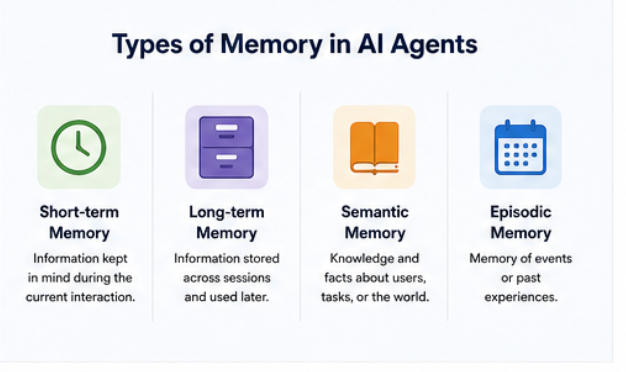
There are a few simple ways to think about memory:
1. Short-term memory
This is the information the agent keeps in mind during the current interaction. It helps the agent stay on track in the moment.
2. Long-term memory
This stores useful information across sessions. For example, a travel assistant may remember that you prefer window seats.
3. Semantic memory
This is knowledge-based memory. It stores facts or useful information, such as “the user is learning Python” or “the project deadline is Friday.”
4. Episodic memory
This is a memory of events or past experiences. For example, “the user asked for help with a resume last week.”
These memory types give AI agents different strengths, depending on the task.
How Memory Works in Simple Terms
The flow is actually pretty easy to understand:
- The user says something important.
- The agent stores the useful detail.
- Later, the agent retrieves that stored memory when it matters.
- The response improves because the agent can use that memory, not just the immediate conversation.
That’s the heart of memory-enabled AI agents. The goal is not to store everything. The goal is to store the right things.
Memory vs. Context Window
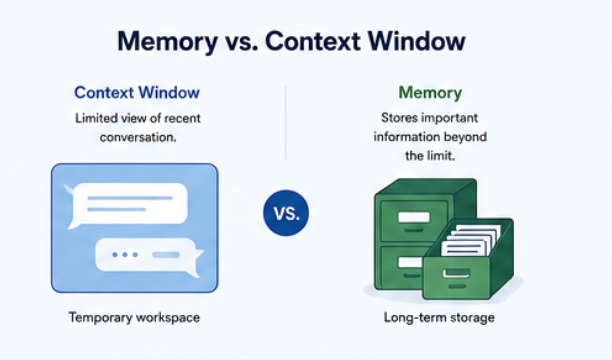
This is where many beginners get confused.
A context window is the amount of recent text an AI model can “see” at once. It’s useful, but limited. Once a conversation gets long, older details can fall out of view.
Memory helps beyond that limit.
So if the context window is like a working desk where you keep the papers you need right now, memory is like a filing cabinet where important information stays available for later. The agent can keep useful details even after the immediate conversation moves on.
Common Memory Patterns in Agentic AI
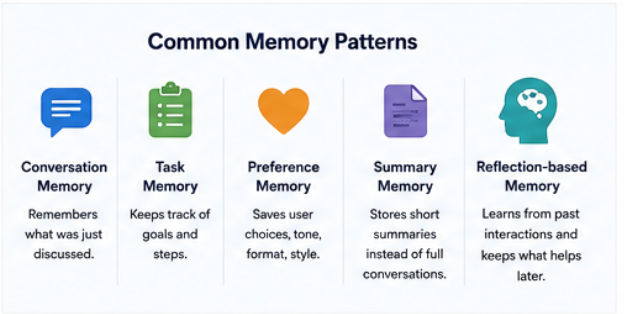
Here are a few memory patterns you’ll often see:
- Conversation memory — remembers what was just discussed
- Task memory — keeps track of goals and steps
- Preference memory — saves user choices like tone, format, or style
- Summary memory — stores short summaries instead of full conversations
- Reflection-based memory — lets the agent learn from what happened before; in simple terms, it looks back at past interactions and keeps the parts that may help later
For beginners, the best approach is usually to start small. A simple summary memory can already make an assistant feel much smarter.
Real-Life Examples
Let’s make this concrete.
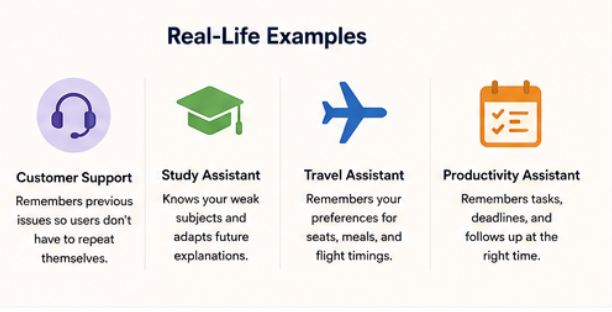
Customer support bot
A user reports a billing issue. The next day, they come back with a follow-up question. A memory-enabled agent can remember the earlier complaint and avoid asking the same thing again.
Study assistant
A student is learning data science and struggles with Python basics. The assistant remembers this and suggests easier examples next time.
Travel assistant
A user prefers aisle seats, vegetarian meals, and morning flights. A memory-enabled travel agent can use those preferences automatically.
Productivity assistant
An assistant remembers that you wanted to finish a blog draft by Thursday and schedule a review on Friday. That makes it much more useful than a one-off reminder tool.
Benefits of Adding Memory
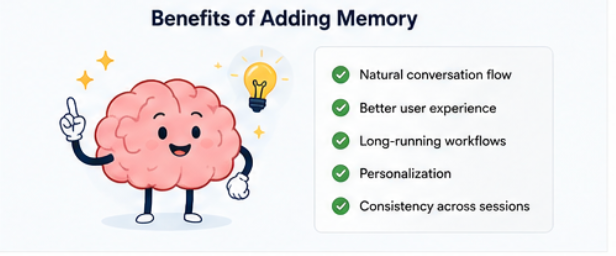
Adding memory to AI agents can improve:
- natural conversation flow
- user experience
- long-running workflows
- personalization
- consistency across sessions
For example, if an assistant remembers that you like short answers, it can keep its responses concise without asking again. This is especially useful when the agent is doing more than answering simple questions.
Challenges and Limitations
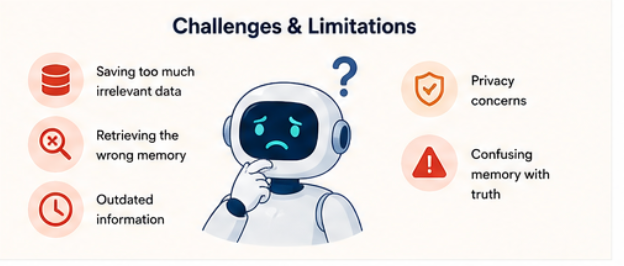
Memory is powerful, but it’s not perfect.
A few common problems are:
- saving too much irrelevant data
- retrieving the wrong memory
- keeping outdated information
- privacy concerns
- confusing memory with truth
That’s why memory design matters. A good agent should store useful memory, not random clutter.
What Should Be Saved?
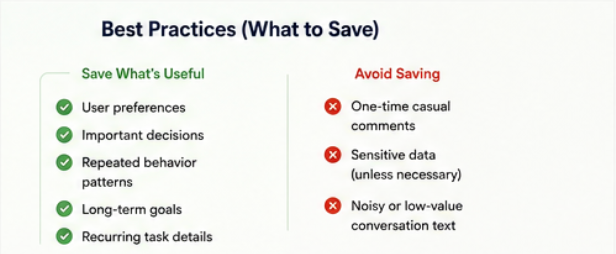
A beginner-friendly rule is simple: save what is useful later.
Good candidates for memory include:
- user preferences
- important decisions
- repeated behavior patterns
- long-term goals
- recurring task details
What should usually be avoided?
- one-time casual comments
- sensitive data unless necessary
- noisy or low-value conversation text
A Mini Example
User 1: “I’m preparing for an interview next week. Please keep answers short.”
The agent stores that preference.
User 2, a few days later: “Help me practice common interview questions.”
A memory-enabled agent might respond: “Sure — I’ll keep the answers short and focused.”
Before memory, the assistant might give a longer explanation and ask for more details. With memory, it adjusts to the user’s preference right away. That small detail makes the conversation feel much smoother.
Mistakes Beginners Should Avoid
Here are a few common mistakes:
- saving everything blindly
- making memory too complicated
- ignoring privacy
- expecting perfect recall
- using memory without a clear purpose
A simple memory system that works well is better than a complex one that breaks often.
Best Practices for Simple Memory Design
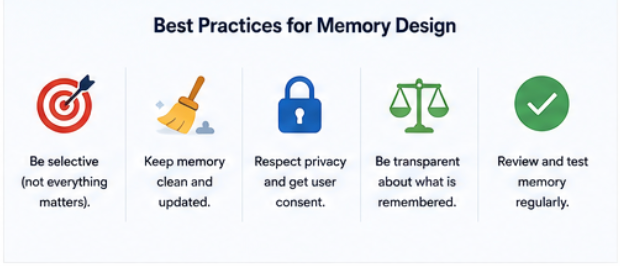
If you’re building or learning about memory in AI agents, keep these in mind:
- keep memory relevant
- separate short-term and long-term memory
- update memory carefully
- store summaries instead of raw noise
- test with real user flows
These habits make memory more reliable and easier to understand.
When Memory Is Most Useful
Memory matters most when the agent needs:
- multi-step task support
- long conversations
- personalization
- repeated workflows
- continuity over time
When Memory Is Not Necessary
Sometimes, memory is overkill.
You may not need it for:
- one-time Q&A
- very short tasks
- high-privacy use cases
- simple requests where context is enough
In those cases, a lightweight response system may be perfectly fine.
Final Thoughts
If you want to understand agentic AI, start with memory.
It’s one of the most practical ideas in modern AI assistants, and it explains why some systems feel much smarter than others. Once you understand short-term memory, long-term memory, and the difference between memory and context, the rest becomes much easier.
The best way to begin is simple: focus on useful memory, keep it clean, and build from there.
Further Reading
Discover more articles on similar topics across our network

Binance Agent OS vs Meta Muse vs Sierra: Comparing the AI Agent Platforms Shaping 2026
Three companies launched competing AI agent infrastructure this month. We compare Binance Agent OS, Meta Muse, and Sierra's commerce agent standards across trading, shopping, and enterprise use cases.

Comments
Loading comments…