TL;DR: The price on the plan page is only the starting point. Add the extras you actually need, such as an IPv4 address or backups, and you get your real monthly bill.
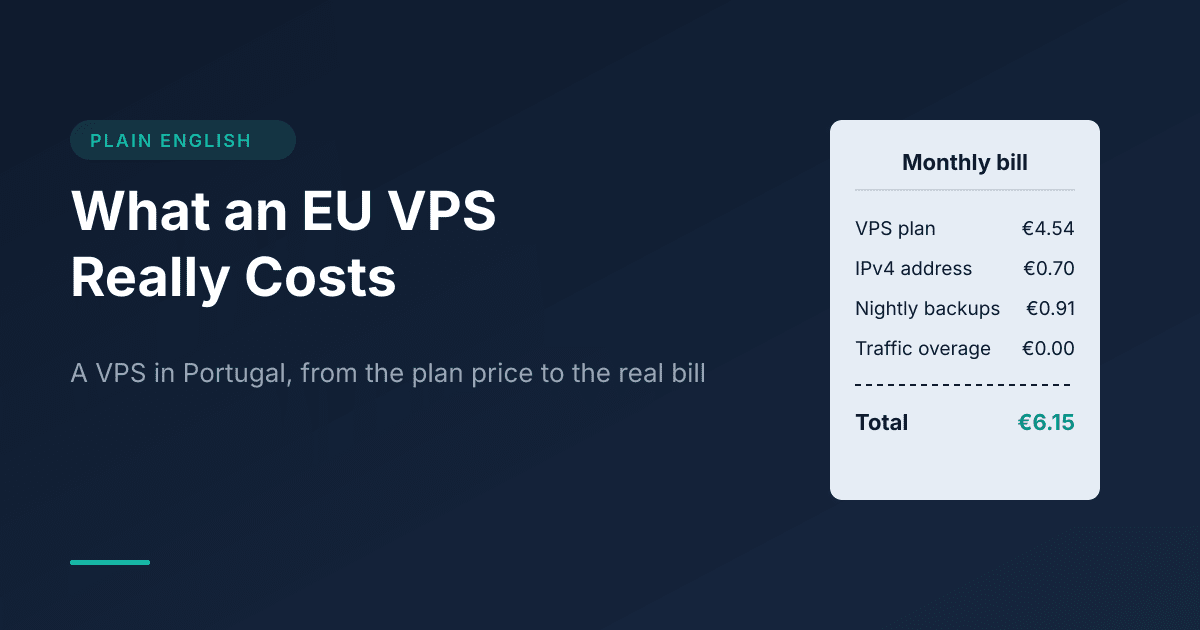
With Euronodes, a VPS in Lisbon starts at €1.99, and a typical small setup with backups comes to about €6.15 a month.
Buying a server online looks simple. You see a price, you click order, and a month later the bill is higher than you expected.
This happens with almost every provider, and it is rarely a trick. It is usually extras you didn't think about, or billing rules you didn't read.
So let's go through it slowly. This guide explains, in plain words, what EU VPS hosting really costs, using the published prices from Euronodes as the example.
What is a VPS, in one paragraph?
A VPS, or virtual private server, is your own slice of a big physical server. You get a set number of CPU cores, memory and disk space, and nobody else can use them.
You also get full control. You can install what you like, run a website, an app, a game server or a database, and restart it whenever you want.
What do you get for the base price?
Euronodes runs its VPS plans in Lisbon, Portugal, on its own hardware in the ONI datacenter. The prices below are the ones listed on the site in November 2026.
The entry plan costs €1.99 per month. For that, you get 1 vCore, 2 GB of RAM and 50 GB of SSD storage.
One step up, €4.54 per month gets you 2 vCores, 4 GB of RAM and 100 GB of SSD. At €7.98, you move to 4 vCores, 8 GB of RAM and 150 GB.
Need more memory but not more cores? The €16.14 plan keeps 4 vCores and 150 GB of SSD, and doubles the RAM to 16 GB.
Larger plans go up to 32 vCores, 128 GB of RAM and 600 GB of storage for €117.12 per month. There are no setup fees on any of them.
Every plan includes an IPv6 address, full root access and 20 TB of traffic each month. The CPU is not capped, so you get the full use of the cores you pay for.
How does hourly EU VPS hosting billing work?
This is the part most people skip, and it changes everything. Euronodes does not charge you for a full month up front.
Instead, it divides the monthly price by the number of hours in the month. You pay for each hour that has passed, from your account balance.
Here is what that looks like. Run the €4.54 plan for three days in a 30-day month, then delete it, and you pay about €0.45.
One rule to remember. A server that is stopped still costs money, because it still holds its resources.
Only deleting the server stops the charge. If you are done with a test server, save what you need and delete it.
Which extras change your bill?
Now for the part that turns €4.54 into a different number. None of these extras are hidden, but you need to add them up yourself.
- IPv4 address: €0.70 per month. IPv6 is free, but many websites and apps still need an IPv4 address.
- Backups: 20% of the VM price. They run every night, keep the last 7 copies, and are stored on separate hardware.
- Snapshots: 10% of the VM price. These are quick restore points you take yourself before a risky change.
- Extra local disk: €0.03 per GB per month, up to 1 TB. You cannot shrink the disk again later.
- HDD volumes: €0.56 per month for the first 100 GB, then €0.0056 per GB above that. They are billed whether attached or not.
- Object storage: S3-compatible storage at €3.99 per TB per month.
All of these are billed by the hour, just like the server. If you remove an extra, its charge stops too.
Three real examples, worked out
Let's turn the price list into actual monthly bills. These totals are based on the published prices and rounded to the nearest cent.
Example 1: A small bot or test server
The €1.99 plan with IPv6 only and no backups. Your bill is €1.99 per month.
That works if your service only talks to other servers that support IPv6. It is the lowest you can go.
Example 2: A small website or app
The €4.54 plan, plus an IPv4 address at €0.70 and nightly backups at €0.91. Your bill is about €6.15 per month.
For most people starting out, this is the realistic number. A public IPv4 address and backups are worth having for anything other people depend on.
Example 3: A growing project with extra storage
The €7.98 plan, plus IPv4 at €0.70, backups at about €1.60 and a 200 GB HDD volume at €1.12. Your bill is about €11.40 per month.
The HDD volume is useful for files, media or logs that don't need SSD speed. Note that HDD volumes are available in Lisbon only.
Can traffic give you a surprise bill?
This is where many providers make their money. You go over your traffic allowance, and the bill jumps.
Euronodes works differently. Every VPS includes 20 TB of transfer per month, and there are no overage fees.
If you go over 20 TB, your port is slowed down instead. You are not charged for the extra traffic, and the server is not suspended.
Traffic between your own servers inside the network does not count toward the 20 TB. If you use the S3 storage, there are no egress fees either, so your VPS has no egress fees eating into your budget when you download your own files.
What happens if your balance runs out?
Because billing comes from a prepaid balance, it helps to know what happens when it runs low. Euronodes keeps it predictable.
You get an email when your balance drops below €2. You can change that warning level in your profile.
You get another email if the balance drops below zero. At that point, the server's public network is cut, but the server itself keeps running.
Your console still works, and billing continues. Top up, and the network comes back on its own within a few minutes.
If the balance stays negative for about 7 days, the server can be deleted. If you know you can't pay on time, tell support before you run out and they can give you a credit line.
How can you pay, and can you get a refund?
Euronodes accepts credit and debit cards through Stripe, PayPal and SEPA bank transfers. You can also pay in Bitcoin, USDT-TRC20 or USDC-TRC20.
Paid credit in your wallet can be refunded, minus the original payment processing fee. Bonus credit, such as sign-up or referral bonuses, cannot be refunded.
You can ask for one refund every 90 days, with a minimum of €5. Crypto refunds take 1 to 2 days, while cards take 5 to 10 days.
A simple checklist before you buy any VPS
- Is billing hourly or monthly, and does a stopped server still cost money?
- Is an IPv4 address included, or is it extra?
- How much do backups cost, and where are they stored?
- What happens when you go over the traffic limit?
- What happens when your balance runs out?
If a provider can't answer these in a sentence each, keep looking. If it can, you can work out your real bill before you spend a cent.
Conclusion
The cheapest-looking plan is not always the cheapest bill. What matters is the price after the extras you need, and the rules that apply when something changes.
Euronodes publishes all of that on its site, from €1.99 for a VPS in Portugal to clear rules on traffic and balance. That makes it easy to know your number before you click order.
FAQ
Does stopping a VPS stop the billing?
No. A stopped server still holds its resources, so it is billed until you delete it.
Is there a setup fee?
No. Euronodes has no setup fees, and billing starts by the hour once the server exists.
What happens if I use more than 20 TB of traffic?
Your port is slowed down. You are not billed for the extra traffic, and the server stays online.
Which payment methods are accepted?
Cards through Stripe, PayPal, SEPA bank transfer, and Bitcoin, USDT-TRC20 or USDC-TRC20.
Further Reading
Discover more articles on similar topics across our network
How AI and Automation Are Rewiring the Hiring Process: 3 Real-World Case Studies
Venture

Comments
Loading comments…