
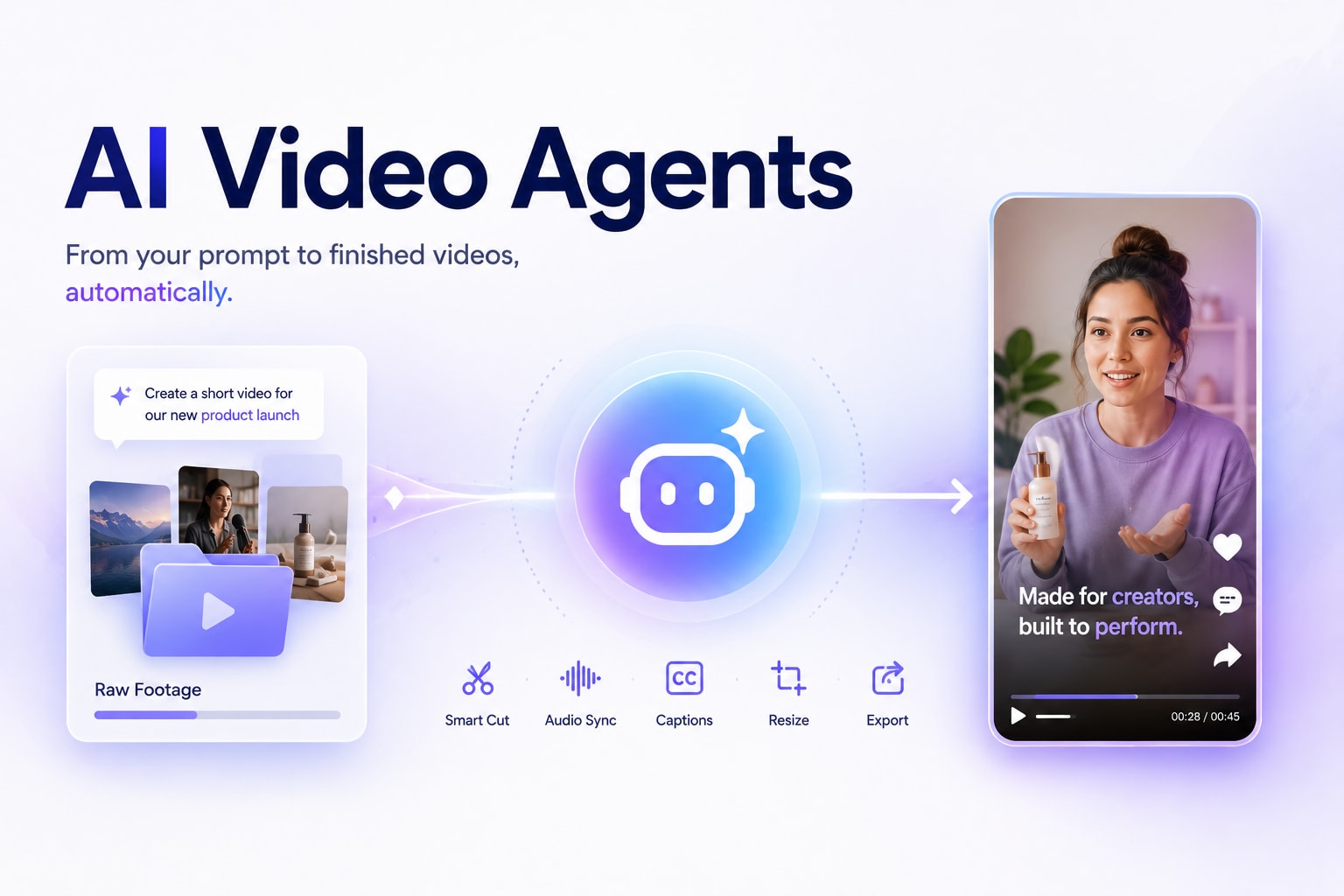
Video editing used to have a clear division of labor. The creative side — deciding what story to tell, what tone to strike, what moments matter — belonged to the human. The technical side — trimming clips, syncing audio, adding captions, resizing for platforms — also belonged to the human. Just the less enjoyable part of it.
AI tools started chipping away at the technical side a few years ago. Autocaptions, background removal, one-click color grading. Useful, but still fragmented. You were still the one moving between tools, making each individual decision, stitching the workflow together yourself.
What's changing now is more fundamental. AI agents don't just assist with individual tasks — they execute entire workflows autonomously, from the first input to the finished output. For developers and creators who work with video, that shift is worth understanding clearly, because it changes not just how fast you work, but how you work altogether.
What "Agentic" Actually Means in Video Editing
The word "agentic" gets used loosely, so it's worth being precise about what it means in a production context.
A standard AI tool responds to a single instruction and stops. You click "remove background," it removes the background. Done. You move to the next step manually.
An agentic system is different. It takes a goal — not just a single command — and executes a sequence of decisions and actions to reach that goal without waiting for you to approve each step. It handles task dependencies, makes intermediate decisions, and moves through a pipeline from start to finish on its own.
In video editing, that means the difference between clicking "add captions" and telling a system "take this raw footage, cut the filler, sync the audio, add captions, and export a version for TikTok and one for YouTube Shorts" — and having the system complete all of that as a single job.
That's the core shift. Less task execution, more goal delegation.
How a Video Automation Agent Handles the Full Editing Pipeline
The practical implementation of this in video production follows a pattern that's becoming more common: a structured pipeline where the agent handles every mechanical step between raw input and finished output.
In a typical agentic video workflow, the system receives an input — a product URL, a raw footage folder, a script, a reference video — and begins working through a defined sequence autonomously. It identifies the best clips, removes silence and filler, matches B-roll to narration, generates captions, syncs background audio, and formats the output for the target platform. Each of those steps would have previously required a separate manual action or a separate tool.
The key distinction from earlier AI tools is that the agent maintains context across the entire pipeline. It doesn't treat each step in isolation — it understands that the pacing decision in step two affects the caption placement in step four, and adjusts accordingly.
For developers building content pipelines or creators managing high output volumes, this is what a video automation agent is built to handle. NemoVideo's agent guide walks through how that pipeline is structured in practice, from input to export.
Why Prompting Still Matters When the Agent Does the Work
Handing off execution to an agent doesn't mean creative direction becomes less important. In practice, it means the opposite.
When you were doing every step manually, you could course-correct at each stage. You'd see a cut you didn't like and fix it before moving on. With an agentic workflow, the system runs through the pipeline and delivers an output. If your initial direction was vague, the output reflects that — and you're correcting at the end rather than along the way.
This is why prompting — how clearly and specifically you communicate your creative intent to the model — becomes more important as automation increases, not less. The agent is only as good as the direction it receives. Precise inputs produce outputs that need minimal correction. Vague inputs produce outputs that need to be regenerated.
Understanding how different AI video models interpret and respond to creative direction is now a practical skill, not just a technical curiosity.
How WAN 2.7 Changed the Way Creators Write Prompts
Most AI video models follow a straightforward pattern: you write a prompt, the model generates output, you evaluate and iterate. The prompting challenge has always been figuring out what language the model responds to reliably.
WAN 2.7, released by Alibaba's Tongyi Lab in April 2026, introduced a meaningful change to that dynamic. Before generating a single frame, it runs a Thinking Mode — the model interprets your prompt, plans the scene structurally, and builds an understanding of what you're trying to create before execution begins. That changes how you write prompts for it, because you're not just describing an output — you're giving the model enough information to plan intelligently.
WAN 2.7 also separates its workflows into distinct modes: Frames (first and last frame control), Video Extend, Video Reference, and instruction-based Video Editing. Each mode responds to a different prompt structure. What works for instruction editing — where you're modifying an existing clip — doesn't work the same way for image-to-video generation, where you're animating from a static reference. Treating them the same way is one of the most common reasons outputs don't match expectations.
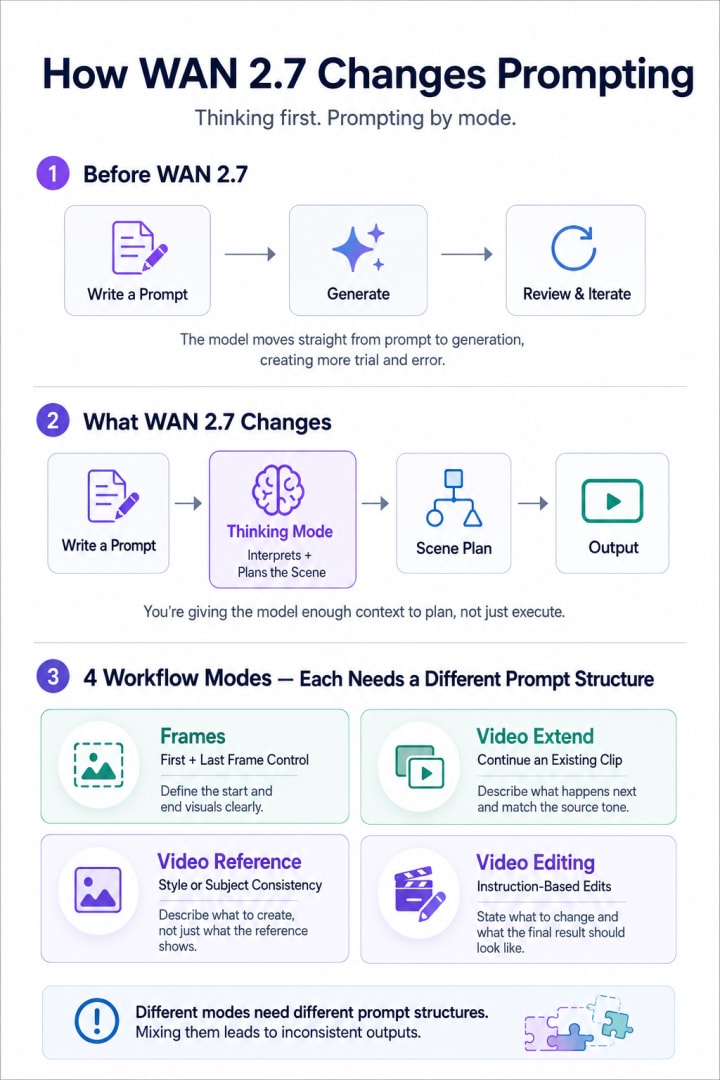
For a structured breakdown of how each mode responds to different prompt inputs, the WAN 2.7 prompting guide covers mode-specific templates and the common mistakes that produce inconsistent results — useful whether you're integrating WAN 2.7 into an agentic pipeline or using it directly.
Staying in Control Without Going Back to Manual Editing
The natural concern with agentic workflows and powerful generation models is creative control — specifically, whether leaning on automation means accepting outputs that look generic or don't reflect your original intent.
The short answer is that it depends on how the tool is designed. The better implementations keep every AI-generated decision visible and adjustable. The agent makes the call, but you can override it. That balance — AI handles execution, human retains direction — is what separates a useful production tool from one that replaces your judgment with its own defaults.
NemoVideo, for example, is built so that all agent decisions remain editable after the pipeline runs. The automation handles the workload, not the creative intent.
The practical implication for developers and creators is this: agentic video tools are most effective when you treat them the way you'd treat a capable but new collaborator. Give them clear direction upfront, review the output with specific criteria in mind, and iterate on the input rather than manually fixing the output. That approach improves over time — your prompts get better, your pipelines get tighter, and the gap between what you brief and what you get continues to close.
Comments
Loading comments…