AI writing tools help students and content creators produce drafts faster. The issue appears later: the text can look robotic, too polished, or statistically predictable, so AI detectors flag it as machine-generated.
In this post, I’ll explain how to humanize AI text in a practical way and reduce AI patterns manually. Then, I’ll show what AI can help you with, what AI humanizing tools do well, and how JustDone AI fits into a realistic workflow.
What AI detectors usually check
Most AI detectors don’t verify authorship. They estimate whether the writing style looks predictable. In practice, detectors often react to:
- uniform sentence length across a paragraph
- smooth, template-like transitions
- neutral tone that stays the same from start to finish
- generic lines that could fit almost any topic
- paragraphs that sound equally polished line by line
Human writing usually has more variation. We use shorter interruptions, clearer intent, less pathetic (or more pathetic sound), and small shifts in pacing. Obviously, the more human patterns your text has, the less likely it will trigger AI patterns.
How to humanize AI text manually step by step
I recommend starting with the text structure, not synonyms. A common mistake is swapping words (“important” to “significant,” etc.) and expecting the AI score to drop. That rarely works because detectors focus on rhythm, structure, and predictability.
What works better is making small changes that create human-like variation:
- change how sentences start (not all “This… / The… / It…”)
- mix shorter and longer sentences
- remove “report voice” phrasing
- add one sentence that shows intent (“what matters more is…”)
You don’t need to rewrite everything. The highest-impact sections are usually the intro, conclusion, and paragraph openings.
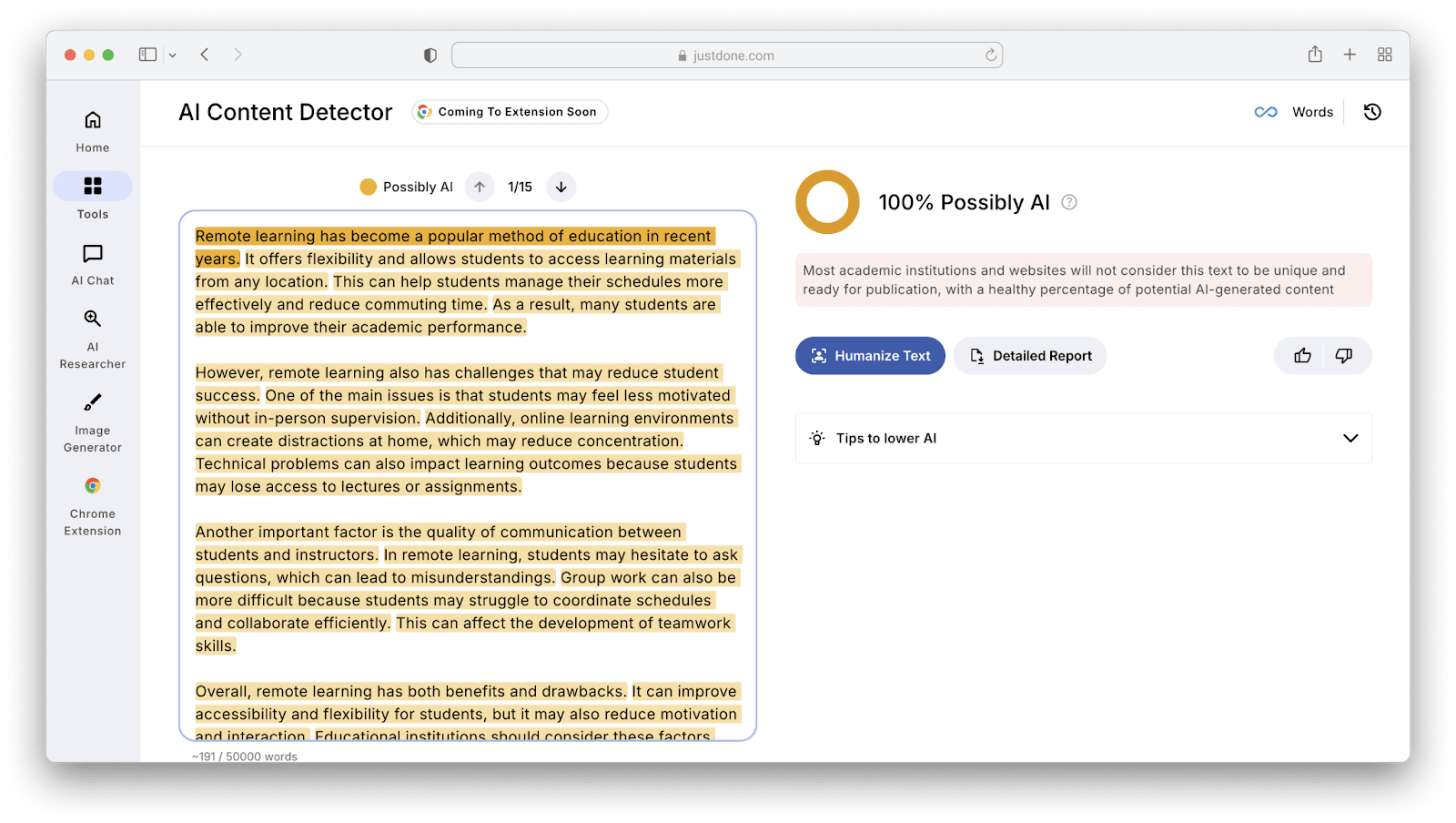
Let’s see how manual humanizing works on the example. Here’s the text that was flagged as 100% AI-generated.
“Remote learning has become a popular method of education in recent years. It offers flexibility and allows students to access learning materials from any location. This can help students manage their schedules more effectively and reduce commuting time. As a result, many students are able to improve their academic performance.
However, remote learning also has challenges that may reduce student success. One of the main issues is that students may feel less motivated without in-person supervision. Additionally, online learning environments can create distractions at home, which may reduce concentration. Technical problems can also impact learning outcomes because students may lose access to lectures or assignments.
Another important factor is the quality of communication between students and instructors. In remote learning, students may hesitate to ask questions, which can lead to misunderstandings. Group work can also be more difficult because students may struggle to coordinate schedules and collaborate efficiently. This can affect the development of teamwork skills.
Overall, remote learning has both benefits and drawbacks. It can improve accessibility and flexibility for students, but it may also reduce motivation and interaction. Educational institutions should consider these factors when designing online courses.”
I got 100% AI score, checking this text with JustDone AI Detector.
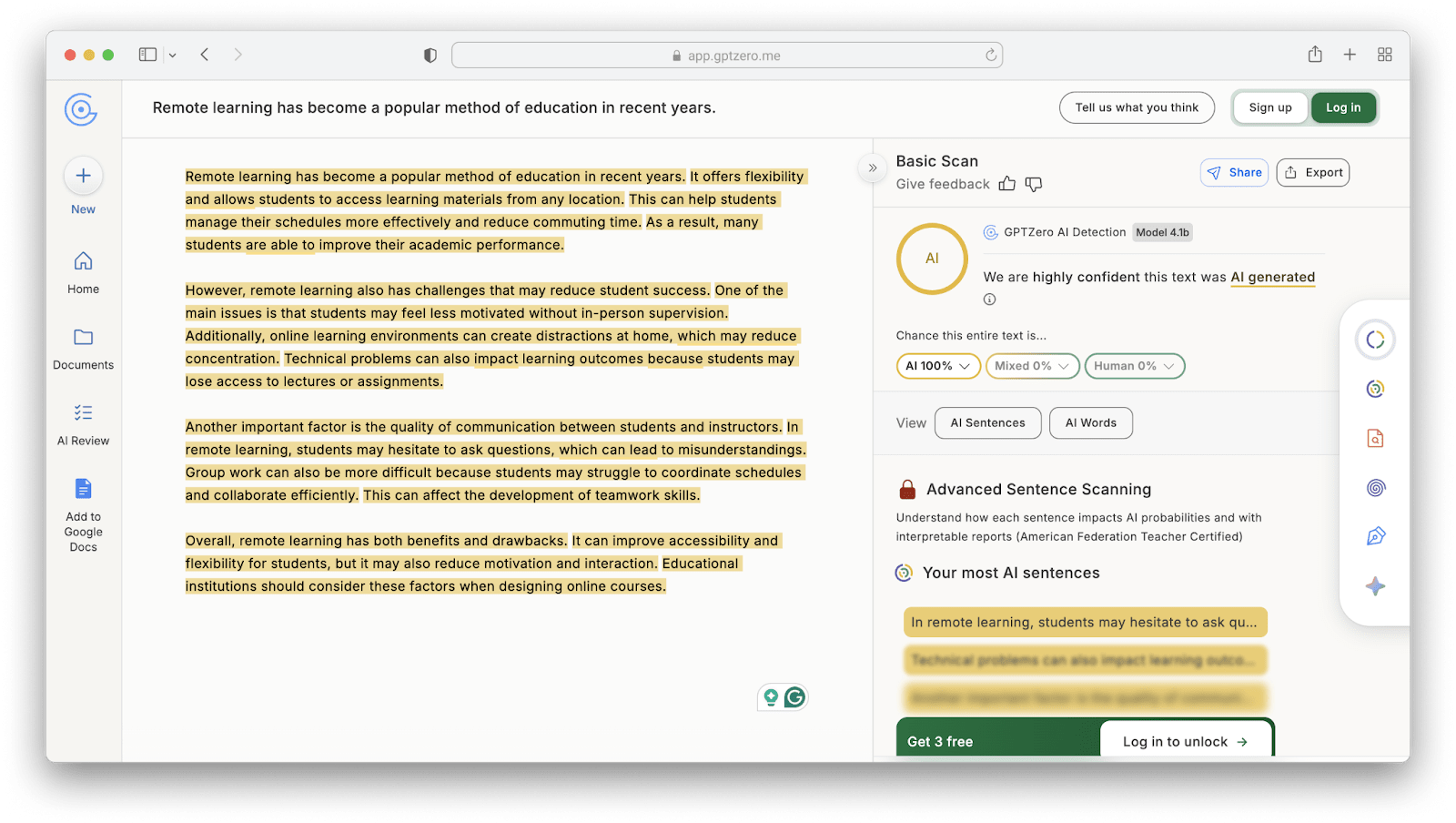
 To verify the result, I ran this piece using another AI Detector from GPTZero. It also flagged it as 100% AI-generated.
What I changed first and why
The first thing I did was replacing generic framing lines. This type of sentence is common in AI drafts: “Remote learning has become a popular method of education in recent years.”
It’s grammatically fine, but it doesn’t contain any human intent. Let’s make it more specific:
“Remote learning is now a normal format for many university courses, not just an emergency option.”
The meaning stays the same, but the framing becomes less generic.
The second thing is to remove template transitions. Words like “Additionally” and “Overall” are normal. The problem is when every paragraph relies on the same transition pattern. I replace some of them with simpler connectors: “Additionally” to “At the same time,” “Another important factor” to “A second issue is,” “Overall” to “In practice.”
This reduces predictability without making the writing informal.
Te third step is to add one decision sentence per paragraph. Our AI draft explains the problem, but it doesn’t prioritize. A decision sentence shows the author is evaluating: “These issues don’t affect every student equally, but motivation and communication problems tend to cause the biggest drop in performance.”
That sentence adds hierarchy, not just information.
Fourthly, I broke rhythm inside the paragraph. The original draft has evenly sized sentences. I add one short sentence to change pacing: “That’s convenient. It’s not always effective.”
Small changes like this often make the writing look less machine-generated.
Here’s what I got after manual text revision:
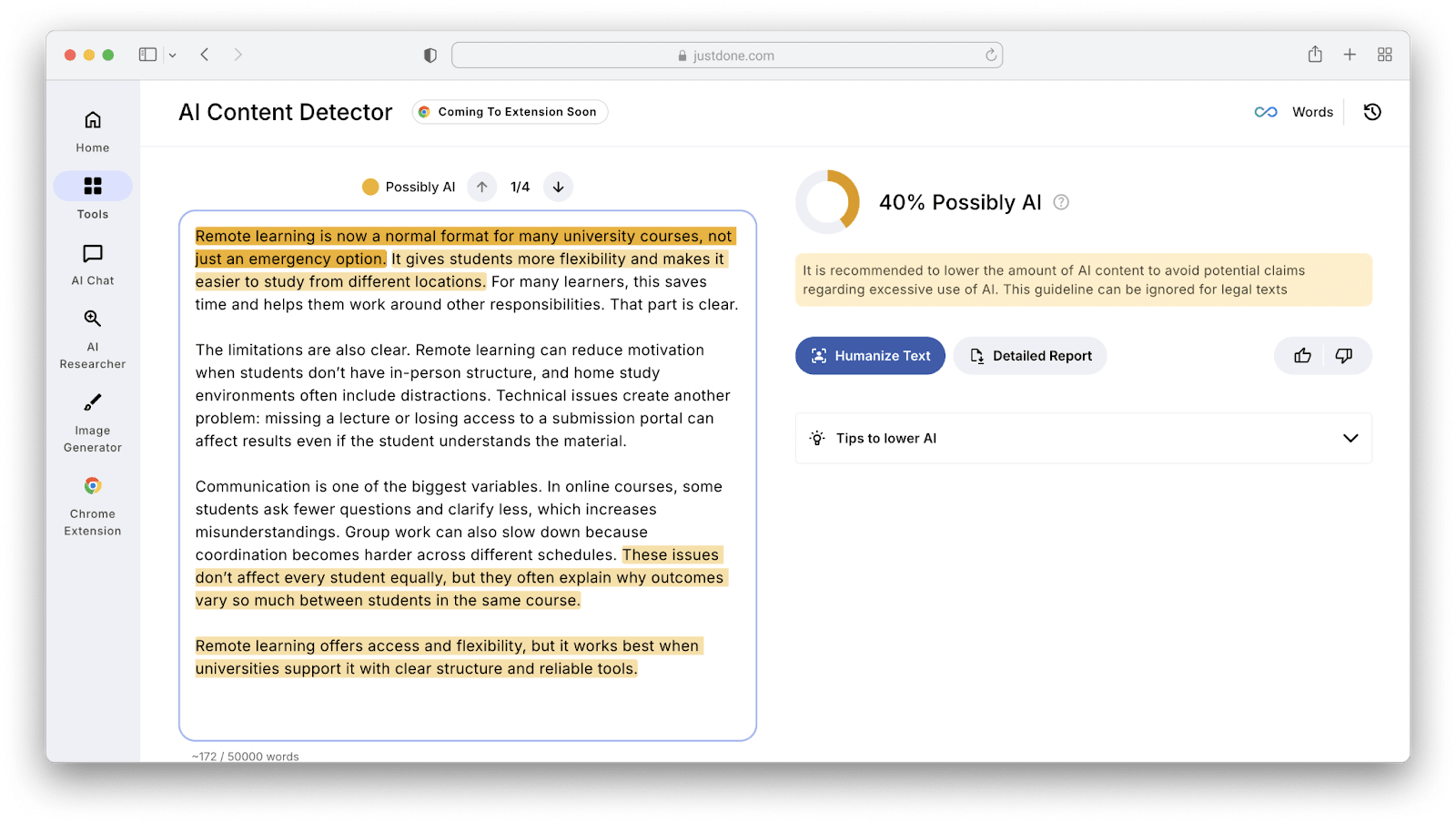
“Remote learning is now a normal format for many university courses, not just an emergency option. It gives students more flexibility and makes it easier to study from different locations. For many learners, this saves time and helps them work around other responsibilities. That part is clear.
The limitations are also clear. Remote learning can reduce motivation when students don’t have in-person structure, and home study environments often include distractions. Technical issues create another problem: missing a lecture or losing access to a submission portal can affect results even if the student understands the material.
Communication is one of the biggest variables. In online courses, some students ask fewer questions and clarify less, which increases misunderstandings. Group work can also slow down because coordination becomes harder across different schedules. These issues don’t affect every student equally, but they often explain why outcomes vary so much between students in the same course.
Remote learning offers access and flexibility, but it works best when universities support it with clear structure and reliable tools.”
Let's check the result. As you see, these simple changes influenced the AI detection output greatly.
How AI Humanizer can help
Manual editing works, but it takes time. Humanizing tools are useful when you have multiple flagged sections and want a faster rewrite that changes structure, not just vocabulary.
In practice, a good AI humanizer should do three things:
- reduce repetitive sentence patterns
- adjust transitions and pacing
- keep meaning stable (no new claims, no broken logic)
That third point matters most for academic writing. A humanized version is only helpful if it preserves the original content accurately.
Humanizing AI Text: JustDone’s Humanizer example
I used JustDone’s AI Humanizer for test and here’s what I can say about its impact. As their NLP and development team explained, the tool is a transformer-based rewriting system trained on aligned AI-to-human text pairs. That training approach is important because it focuses on how people edit AI text, not how they generate text from scratch.
Internal processing flow looks like this:
AI-like draft – detection signals – rewrite planning – constrained rewriting – quality checks – output
This explains why the output typically feels like an edited version of the same content, rather than a rewritten new essay.
During testing, the strongest part was what the AI Humanizer avoids changing. JustDone consistently preserves:
- domain-specific terminology
- abbreviations and acronyms
- variable names and formulas
- citations and reference markers
This makes it suitable for content where meaning drift is unacceptable. So instead of simplifying technical vocabulary into something vague, the tool rewrites the sentence structure around those fixed terms.
How I use JustDone Humanizer in a real workflow
I don’t recommend humanizing the entire document at once. It usually works better as targeted editing.
A practical workflow looks like this:
- Write or generate a rough draft (your ideas first).
- Manually revise the introduction and conclusion, because those sections are often the most generic.
- Use JustDone AI Humanizer on the sections that still sound too smooth or repetitive.
- Read the output and adjust structure if needed, especially paragraph breaks.
- Add one sentence of interpretation where you cite evidence (this improves both clarity and authorship signals).
This reduces AI patterns while keeping the draft consistent.
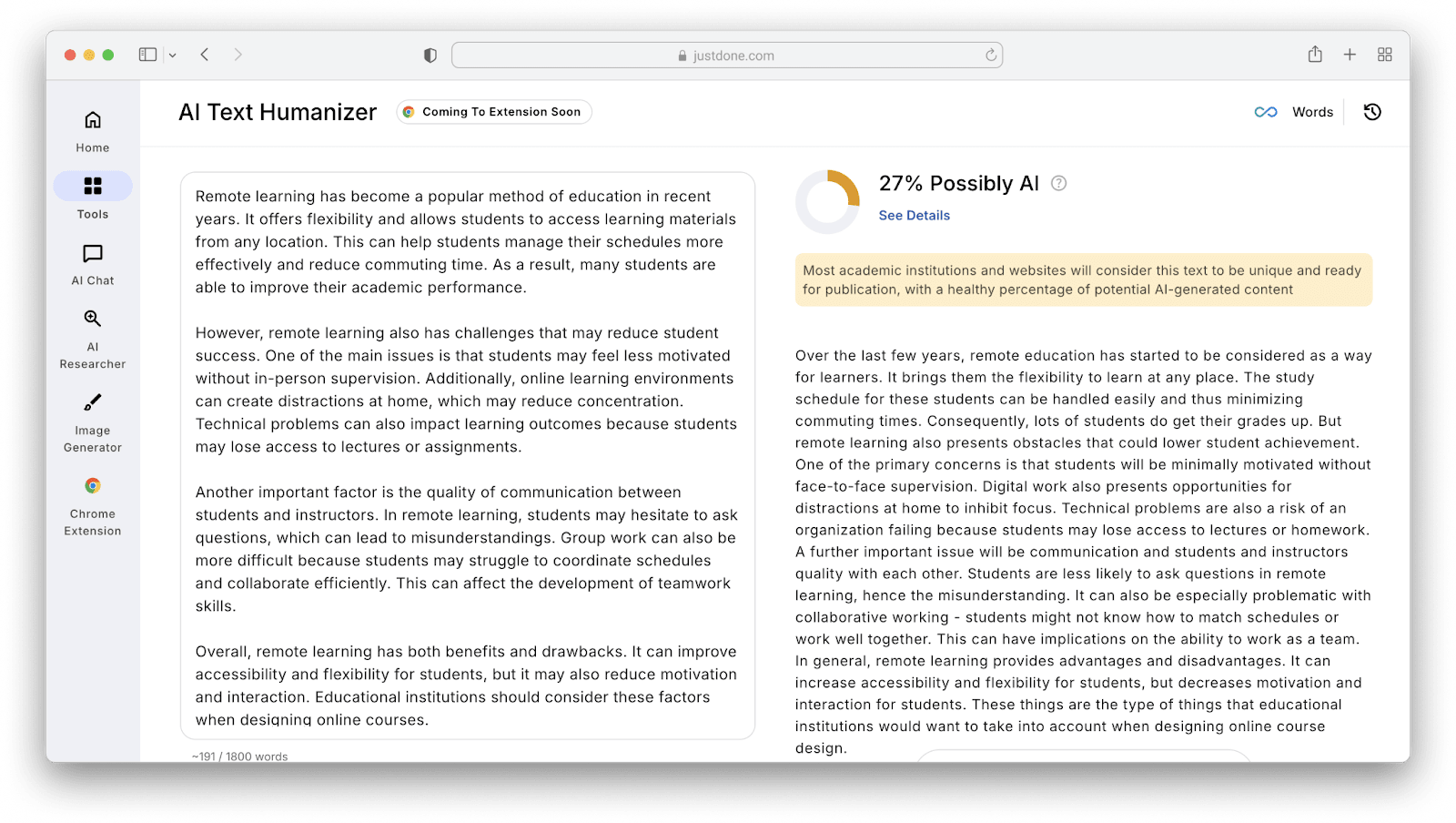
Let’s see how JustDone processes AI-generated piece I used for manual editing. I chose Sound Human mode and got 27% Possibly AI score – much better than 100%.
What JustDone did best and what still needs manual work
Using JustDone’s AI Humanizer, the best part was that it changed the rhythm and structure enough to make the draft less predictable. But what’s important, the tool keeps terminology and meaning stable. That’s the main difference between an AI humanizer and a basic paraphraser.
Also, it’s great that the tool has three absolutely different modes – Auto, Sound Human, and Bypass Detectors. They allow to regulate the level of humanizing AI text, from llight changes to heavily restructured content.
What I still check manually:
- paragraph structure
- small grammar choices
- tone consistency.
Also, some outputs can sound slightly neutral, especially in academic writing, so I usually add one sentence that makes the stance clearer.
As you see, the result of humanizing AI with the tool is a usable draft that needs only final editing.
Final take
To humanize AI text effectively, you don’t need extreme rewriting. You need structural variation, less template tone, and clearer author intent. Manual edits solve this, but tools make it faster when you’re working with longer texts.
AI Humanizing tool is most useful when you need sentence-level restructuring while keeping technical language stable. It’s not a replacement for manual review, but it reduces the amount of rewriting needed and gives a cleaner base draft to finalize.
Comments
Loading comments…