
Buying a second-hand iPhone can be a great way to save money, but some users discover that the device is still linked to the previous owner's Apple ID. After resetting the iPhone, the screen may display “iPhone Locked to Owner”, preventing the device from being activated.
This problem can also happen if you forget your Apple ID password or erase your iPhone without properly removing it from your iCloud account.
To protect users from unauthorized access, Apple introduced Activation Lock, a security feature connected with Find My iPhone. Once enabled, the device remains linked to the original Apple ID even after a factory reset.
So, how can you remove iCloud Activation Lock without password? In this guide, we will explain what Activation Lock is, why it exists, and several possible ways to bypass iCloud Activation Lock.
What Is Activation Lock?
Activation Lock is an Apple security feature included with Find My iPhone. It automatically activates when Find My is enabled on an iPhone, iPad, or other Apple device.
When Activation Lock is turned on:
- The device becomes linked to the owner's Apple ID.
- Erasing the iPhone does not remove the account connection.
- The original Apple ID and password are required during activation.
- Unauthorized users cannot set up or reuse the device.
For example, if someone finds a lost iPhone and performs a factory reset, they will still see the “iPhone Locked to Owner” screen and cannot activate it without the original account information.
Why Does Apple Use Activation Lock?
Apple designed Activation Lock to improve device security and protect users' personal information.
Prevent Stolen iPhones From Being Reused
Without Activation Lock, stolen iPhones could easily be erased and sold as new devices. Activation Lock makes stolen devices much less valuable because they remain linked to the original owner.
Protect Personal Data
Activation Lock works together with Find My iPhone to help protect photos, messages, contacts, and other private information stored on the device.
Improve Device Security
By requiring Apple ID verification, Apple ensures that only the legitimate owner can reactivate the device.
How to Remove iCloud Activation Lock Without Password
Method 1: Remove Activation Lock With Apple ID
The official method is using the Apple ID connected to the device.
Steps:
- Turn on the iPhone.
- Connect to Wi-Fi.
- Enter the Apple ID and password linked to the device.
- Complete the activation process.
If you still have access to your iCloud account, you can also remove the device remotely.
Remove iPhone From iCloud:
- Go to iCloud Find Devices.
- Sign in with your Apple ID.
- Select your iPhone.
- Choose Erase iPhone.
- Select Remove from Account.
Method 2: Contact Apple Support
If you are the original owner but cannot access your Apple ID, Apple Support may help. You may need:
- Original purchase receipt
- Invoice
- Serial number or IMEI information
- Proof of ownership
Process:
- Contact Apple Support.
- Explain your Activation Lock issue.
- Provide ownership documents.
- Request Activation Lock removal.
Method 3: Use iToolab UnlockGo to Remove iCloud Activation Lock
iToolab UnlockGo helps users bypass iCloud Activation Lock and get past the “iPhone Locked to Owner” screen.
Key Features:
- Remove iCloud Activation Lock without password
- No jailbreak required on supported devices
- Simple operation process
- Supports iPhone 5 to iPhone 17 series
- Compatible with supported iOS versions up to iOS 26
How to Use iToolab UnlockGo Remove iCloud Activation Lock
Step 1: Download UnlockGo
Install iToolab UnlockGo on your computer.
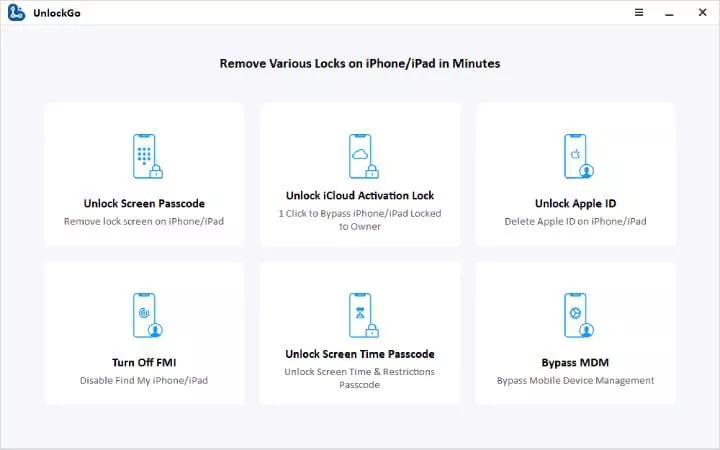
Step 2: Select Unlock Activation Lock
Open the software and choose: Unlock Activation Lock
Step 3: Connect Your iPhone
Connect your iPhone to the computer using a USB cable.
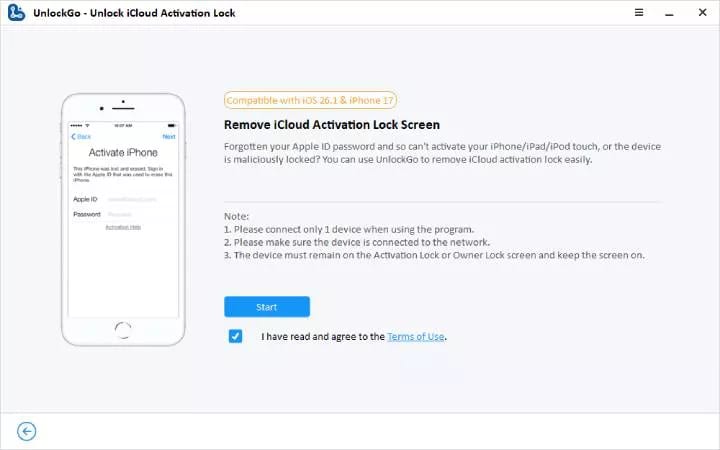
Step 4: Start the Process
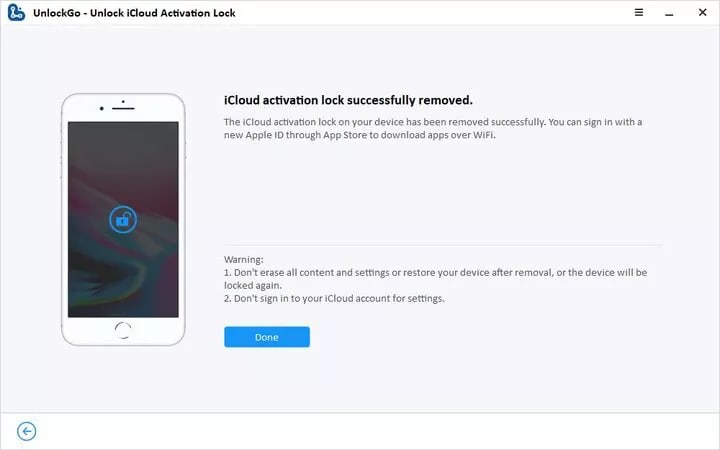
Click Start and wait for the process to finish. Your iPhone may restart.
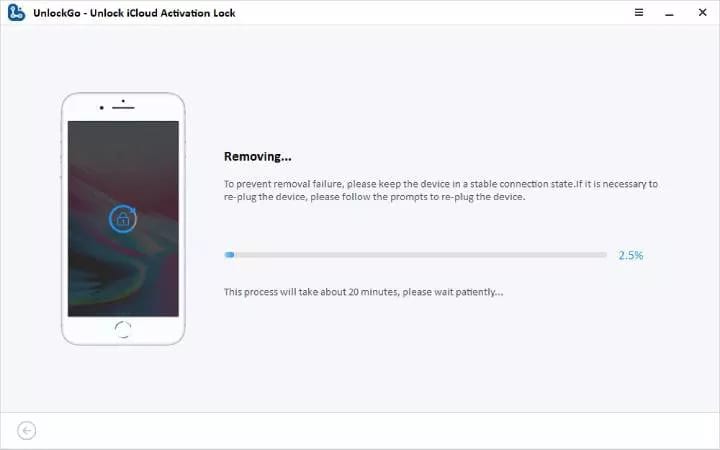
Step 5: Set Up Your iPhone Again
After completion, restart your iPhone and complete the setup process.
Method 4: DNS Bypass
Some websites suggest DNS bypass for iCloud Activation Lock.
It changes network settings during iPhone setup.
However, DNS bypass does not permanently remove Activation Lock.
Limitations:
- Limited access only
- Cannot fully use App Store
- Cannot use iCloud services normally
- Cannot completely activate the iPhone
FAQ
Does factory reset remove Activation Lock?
No. Factory reset only deletes data from the device. Activation Lock remains connected to the original Apple ID.
Can I unlock iPhone Locked to Owner for free?
Free methods, like DNS bypass, only offer limited access and do not permanently remove Activation Lock. For a more reliable option, users can try iToolab UnlockGo.
Does iToolab UnlockGo require jailbreak?
Yes. iToolab UnlockGo supports a no-jailbreak unlocking process on supported iPhone models running iOS 16 and later.
Conclusion
The “iPhone Locked to Owner” appears because Activation Lock protects the device from unauthorized use. The best solution depends on your situation. If you still have the original Apple ID, use it to activate the iPhone. If not, contact Apple Support with proof of ownership or try a tool like iToolab UnlockGo when Apple ID access is unavailable. Knowing how Activation Lock works can help you choose the right way to regain access to your iPhone.
Comments
Loading comments…