
A Virtual Private Cloud (VPC) is the network boundary for almost everything you deploy on AWS. If you have spun up an EC2 instance, connected a Lambda function to a database, or run containers on ECS, you were almost certainly working inside a VPC—even if you did not configure it yourself.
What a VPC actually is
A VPC is a logically isolated section of the AWS cloud where you define IP address ranges, subnets, routing, and access controls. Think of it as your private data center network, except AWS manages the physical switches and cables.
Every AWS account gets a default VPC in each region. That default VPC works out of the box: it has public subnets, an internet gateway, and security groups ready to go. Many tutorials use it without explaining what is happening underneath.
For production workloads, you typically create a custom VPC so you control:
- Which resources can reach the internet
- How traffic flows between application tiers
- Where databases and internal services live
- How on-premises networks or other cloud environments connect
Core VPC building blocks
CIDR blocks and subnets
A VPC is defined by a CIDR block, such as 10.0.0.0/16. That range gives you 65,536 IP addresses (in practice, AWS reserves several, so usable counts are lower).
You divide the VPC into subnets—smaller CIDR ranges within the VPC. Subnets live in a single Availability Zone. A common pattern is two or three public subnets and two or three private subnets across different zones for high availability.
| Subnet type | Typical use | Internet access |
|---|---|---|
| Public | Load balancers, bastion hosts | Direct via Internet Gateway |
| Private | Application servers, workers | Outbound via NAT Gateway |
| Isolated | Databases, caches | No internet route |
Route tables
A route table determines where network traffic goes. A public subnet's route table points 0.0.0.0/0 to an Internet Gateway (IGW). A private subnet's route table points default traffic to a NAT Gateway if outbound internet is needed, or has no default route if the subnet is fully isolated.
Misconfigured route tables are one of the most common causes of "my EC2 instance cannot reach the internet" tickets.
Internet Gateway and NAT Gateway
- Internet Gateway: Allows bidirectional internet access for resources with public IPs in public subnets.
- NAT Gateway: Lets instances in private subnets initiate outbound connections (package updates, API calls) without accepting inbound connections from the internet.
NAT Gateways have hourly and data processing costs. For dev environments, a NAT instance or VPC endpoints can reduce spend.
Security groups and NACLs
Security groups are stateful firewalls attached to ENIs (network interfaces on EC2, RDS, Lambda in VPC, etc.). You allow inbound and outbound rules by protocol and port. If you allow inbound SSH on port 22, return traffic is automatically permitted.
Network ACLs (NACLs) operate at the subnet level and are stateless. They are less commonly used for application-level control but useful for blocking IP ranges or adding a coarse subnet boundary.
Most day-to-day access control happens at the security group layer.
When you need a custom VPC
The default VPC is fine for learning and quick experiments. Create a custom VPC when:
- You run production traffic and need predictable network segmentation
- Compliance requires private database subnets with no internet path
- You connect to on-premises via VPN or Direct Connect
- Multiple environments (dev, staging, prod) should not share network space
- You peer VPCs or use Transit Gateway to connect services across accounts
A typical three-tier web application VPC might look like this:
Internet → ALB (public subnet) → App servers (private subnet) → RDS (isolated subnet)
A minimal production VPC layout
Here is a practical starting point for a single-region application:
- VPC with CIDR
10.0.0.0/16 - Two public subnets (
10.0.1.0/24,10.0.2.0/24) inus-east-1aandus-east-1b - Two private subnets (
10.0.10.0/24,10.0.11.0/24) in the same zones - Internet Gateway attached to the VPC
- One NAT Gateway per AZ (or one NAT for cost savings in non-prod)
- Application Load Balancer in public subnets
- ECS tasks or EC2 instances in private subnets
- RDS in private subnets with security group allowing only app tier
Use VPC endpoints for S3, DynamoDB, SQS, and other AWS services so private subnets can reach them without routing through a NAT Gateway.
Common mistakes to avoid
Overlapping CIDR blocks. If you plan to peer VPCs or connect via VPN, ensure CIDR ranges do not collide. 10.0.0.0/16 in one VPC and 10.0.0.0/16 in another will cause routing conflicts.
Single-AZ dependencies. Putting your only NAT Gateway in one Availability Zone means an AZ outage takes outbound connectivity offline for all private subnets.
Overly permissive security groups. 0.0.0.0/0 on SSH or database ports is a frequent audit finding. Restrict source IPs or use a bastion or Session Manager instead.
Forgetting DNS. Enable enableDnsHostnames and enableDnsSupport on the VPC. Many managed services expect internal DNS resolution to work.
VPC and other AWS services
| Service | VPC relationship |
|---|---|
| EC2 | Runs inside subnets; needs security groups |
| RDS | Deployed in subnets; not publicly accessible by default |
| Lambda | Optional VPC attachment for private resource access |
| ECS/EKS | Tasks/pods run in VPC subnets |
| ElastiCache | Requires subnet group within VPC |
| ALB/NLB | Deployed in public or internal subnets |
Lambda functions do not need VPC attachment unless they must reach private resources (RDS, Redis, internal APIs). VPC-attached Lambdas need extra configuration for internet access and cold starts can increase slightly.
How to create a VPC today
You have three main options:
- AWS Console VPC wizard — Fast for learning; creates subnets, IGW, and route tables automatically
- CloudFormation or Terraform — Repeatable infrastructure as code; strongly recommended for teams
- AWS CDK — Programmatic VPC constructs with sensible defaults
For Terraform, the aws_vpc resource plus subnet, route table, and gateway resources give full control. Many teams use community modules like terraform-aws-modules/vpc to avoid reinventing the wheel.
FAQ
Is the default VPC safe for production?
It can work for very small workloads, but it lacks the segmentation most production architectures need. Custom VPCs give you explicit control over public vs private placement.
How many VPCs should I have?
Many teams use one VPC per environment per region (dev, staging, prod). Others use separate VPCs per application or per AWS account. Account-level separation is the strongest isolation boundary.
What is the difference between a public and private subnet?
A public subnet has a route to an Internet Gateway. Instances need a public IP (or Elastic IP) to be reachable from the internet. A private subnet does not route directly to the internet; outbound access goes through NAT if configured.
Do I pay for a VPC itself?
There is no charge for the VPC object. You pay for resources inside it: NAT Gateways, VPC endpoints, data transfer, and attached compute/storage.
When should I use VPC peering vs Transit Gateway?
VPC peering connects two VPCs with a simple one-to-one relationship. Transit Gateway scales better when you have many VPCs or need centralized routing across accounts and regions.
Further Reading
Discover more articles on similar topics across our network

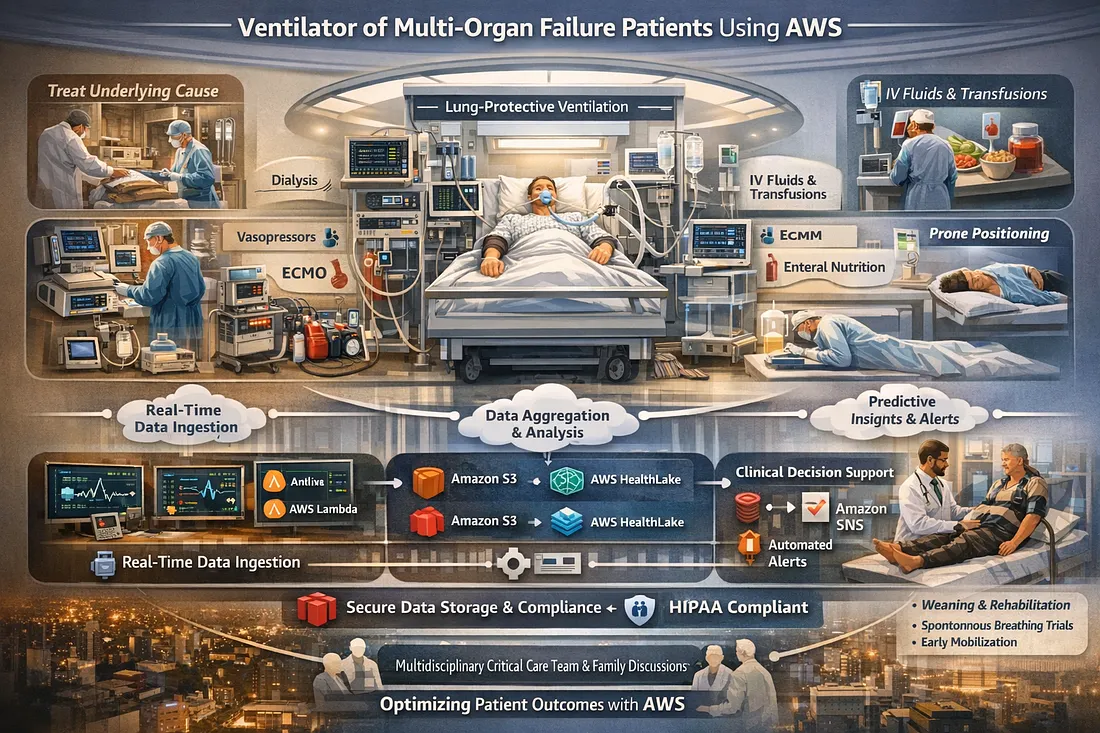
Ventilator Vanguard: AI-Powered MultiOrganFailure Survival Engine Using AWS
Cubed

Comments
Loading comments…