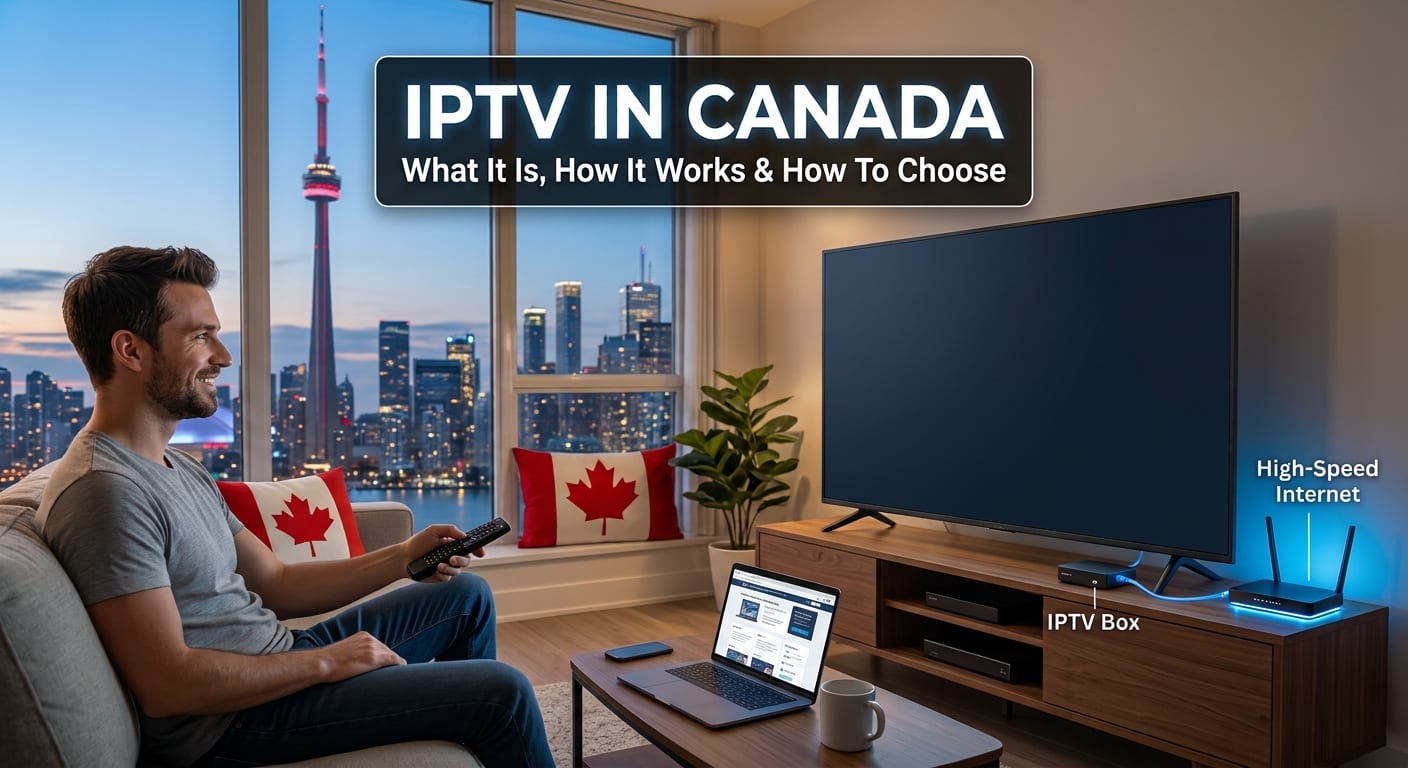
TL;DR: IPTV in Canada means television delivered over your internet connection instead of a coaxial line or a dish. The technology is legal; whether a particular provider is depends on the distribution rights it holds. Choose one on its encoding, server locations and behaviour under load, not on the channel count in its advertising.
Around 36,000 Canadians search for "IPTV" every month, and most of them land on a page listing services rather than one explaining how to tell them apart. That gap matters, because the things that decide whether a service works on a Saturday evening are not the things the marketing talks about. Channel counts are trivially inflated. Encoding quality, server placement and what happens to a stream when the line gets busy are not.
Most of what follows applies to any provider. Canadian households comparing IPTV options have an extra wrinkle, because broadcast rights here are split across more holders than in most markets, which is why lineups differ so much between services and why two subscriptions at the same price can cover very different things.
On this page What it is · Legality · Free options · Speed you need · Why sport lags · How to choose · Channel counts · Cost · The 20-minute test · Alternatives · FAQ
What is IPTV, and how does it work in Canada?
IPTV is television delivered as data packets over an ordinary internet connection. A provider ingests channel feeds, re-encodes them into several quality levels, cuts each into short segments, and serves those segments from servers near you. Your app requests one segment at a time and assembles them into continuous video.
The difference from cable is the direction of the request. A coaxial line pushes every channel to every house constantly and your box tunes to one. IPTV sends nothing until the app asks, then delivers that one stream to that one device. Catalogue size stops being limited by spectrum on a physical line and starts being limited by storage and licensing.
How is it different from the streaming apps you already pay for?
Mechanically, barely at all. Both use adaptive bitrate streaming over HTTP. The difference is commercial: subscription apps sell one library each, while an IPTV subscription aggregates live channels and on-demand content from many sources into a single guide and a single bill.
That aggregation is the entire value proposition, and it is also where the legal question lives.
Is IPTV legal in Canada?
The technology is completely legal. Carriers and broadcasters have delivered television over IP for years. What determines legality is whether a provider holds distribution rights for the content it carries, which is a question about the provider, not about the technology.
Services that hold those agreements operate like any other distributor. Services that do not are infringing, regardless of how polished the app looks, and Canadian courts have granted blocking orders against some of them. The Copyright Act is the governing legislation.
From the outside, the two look identical. The interface tells you nothing. What does tell you something is whether a provider will answer a direct question: which rights do you hold in this market, and is the channel list contractually guaranteed? Specific answers mean one kind of operation. Deflection means another.
Is there a free way to watch live TV in Canada?
Yes, two of them, and both are legitimate. An over-the-air antenna pulls local broadcast channels free and permanently in most urban areas. Ad-supported free streaming services also carry a growing number of live channels at no cost, funded by advertising rather than subscription.
What is not legitimate is the category of free apps and playlists that carry full premium channel lineups. If a service is giving away content that costs other distributors millions to license, it has not found a clever business model. Those apps disappear without warning, take payment details on sites with no accountability, and are the ones that attract blocking orders.
The honest summary: free gets you local broadcast and ad-supported channels. Everything beyond that is paid, one way or another.
What internet speed do you need for IPTV?
Less than most people assume, and stability matters more than the headline number. A steady connection at 50 Mbps outperforms a 300 Mbps line that dips for four seconds during a face-off, because the player has already committed to a segment it can no longer finish downloading in time.
Multiply by the number of screens running at once. Two 1080p streams and a 4K one puts a household near 40 Mbps of sustained demand, which is where under-provisioned services start showing their limits.
Why does live sport run behind?
Because of how segments are built, not because something is broken. Classic HLS cuts video into six-second segments and buffers three of them before playback, which builds in close to twenty seconds of delay before the network is even considered. That is why a neighbour's reaction arrives through the wall before the goal reaches your screen.
Newer packaging fixes most of it. Low-latency HLS and CMAF chunked transfer break segments into smaller pieces and begin delivering them before the full segment finishes encoding, pulling glass-to-glass delay down toward two to five seconds. Cable sat at roughly two seconds, so this is a new architecture catching up to an old one on a single measure.
Ask a provider what its live latency is. A service that has implemented low-latency packaging will tell you. One that has not will change the subject.
How do you choose an IPTV service in Canada?
Four things decide it, none of which appear in advertising. They are the difference between a service that holds up on a weekday evening and one that does not.
Codecs and the devices you own
H.264 plays on everything and costs bandwidth. HEVC cuts the requirement for equivalent quality by roughly 40 to 50 percent, and AV1 improves on HEVC again. The catch is hardware decoding: an older television or a budget streaming stick may have no AV1 decoder, which forces software decode and stutter. A provider offering only H.264 is spending your bandwidth. One offering only AV1 is assuming hardware you might not own.
Where the servers sit
Latency and jitter are mostly a function of physical distance and peering quality. Canadian internet traffic improved substantially once domestic exchanges in Toronto, Montreal, Vancouver and Winnipeg matured. A stream served from a Canadian edge and one routed through a US exchange can differ by tens of milliseconds, and more importantly in jitter. Ask where the edge servers are. A real answer names places.
Concurrent streams and the guide
Multiple screens in one household is the normal case, not an edge case, and it is where thin services fail first. Check the stated limit and whether it is enforced predictably. Then check the programme guide on five channels, including two obscure ones. Guide data is unglamorous metadata, and when it is wrong the whole service feels broken even though the video is fine.
What do you need to run IPTV on?
Almost anything with a screen and an internet connection. Most services ship an app for smart televisions, streaming sticks, Android boxes, phones, tablets and computers. The question worth asking is not whether your device is supported, but whether it can decode the codec the service actually sends. That is where cheap hardware fails.
Smart televisions vary the most. Android-based sets have the deepest app availability. Other platforms carry thinner third-party support, and some services work through a standard player loaded with a playlist instead of their own app.
Streaming sticks are the cheapest route, usually forty to seventy dollars. Older generations handle H.264 without trouble and struggle with HEVC at 4K. Check the model’s decoder specification rather than its packaging.
Android boxes are the most flexible and the most variable. They run any player you like. The ones sold preloaded with full channel lineups are the ones to avoid, for the licensing reasons above.
Phones and tablets work well for catch-up and poorly for live sport on a shared connection, because they compete with whatever the main screen is doing.
Computers sidestep the app question entirely through browser playback, which makes them the quickest way to trial a service before buying hardware for it.
One hardware point worth more than any of the above: a wired connection beats wifi on the main television every time. Most buffering blamed on a provider is a wifi problem two rooms from the router. If the television can reach a cable, use one.
Why is the channel count the least useful number on the page?
Because it is the easiest figure to inflate and the least connected to your experience. Counts routinely include regional duplicates of the same feed, dead entries nobody has pruned, and international channels in languages the household does not speak.
Twelve channels that hold up under load beat four thousand that buffer. The number you actually care about is how many of the channels you watch are present, carried at a quality your connection supports, with a guide that tells the truth. Nobody advertises that number.
What does it cost compared with stacking apps?
Price out four subscription services at current Canadian rates, add a sports tier, and the total lands close to what a cable package cost before people started cutting cords. The savings that justified the switch have been inflated away, one price rise at a time, which is why most services have now launched ad-supported tiers.
That total is the real comparison. Not one service against one app, but against the whole stack a household has accumulated. A single subscription covering live channels and on-demand content undercuts the stacked figure, which is why the category keeps growing in Canada while individual platforms raise prices.
One warning on price. Transcoding and bandwidth have hard costs that do not scale down with marketing claims. When a price sits dramatically below everyone else's, something has been removed: encoding rungs, edge coverage or redundancy. You will not notice until a weekday evening.
How do you test a service in twenty minutes?
Run these five checks during a trial. If a provider offers no trial, that is itself an answer.
- Test between 7pm and 10pm on a weekday. Any service looks good on a Tuesday morning.
- Open a live sports channel and a news channel on two devices at once. Concurrency limits surface immediately.
- Compare a live feed against a radio broadcast to measure real latency. Past fifteen seconds means old packaging.
- Check the guide against the actual programme on five channels, two of them obscure.
- Start a large download deliberately and watch the stream. Does it drop a quality rung and recover, or stall? That single test reveals whether the bitrate ladder is real.
The fourth and fifth are the ones that separate services. Most people never run them, which is why most people find out in month three.
What are the alternatives to IPTV in Canada?
Three, each with a real trade-off. A traditional cable or satellite subscription gives you reliability, a two-second delay and a contract, at the highest monthly cost of the options. Stacking subscription apps gives you quality and no contract, but fragments live sport across several bills and leaves gaps where rights were sold separately.
An over-the-air antenna is the overlooked one. In most Canadian urban areas it pulls major local channels free, permanently, at broadcast quality with no buffering. It covers a narrow slice of what people watch. For that slice it is better than anything delivered over the internet.
Plenty of households run an antenna alongside an internet-delivered service, which costs about forty dollars once and removes the channels that matter most from the reliability equation.
Frequently asked questions
Do you need a box for IPTV in Canada?
No. Most services run as an app on a smart television, a streaming stick, a phone, a tablet or a computer. A dedicated box can help if your television's built-in app is slow or lacks a decoder for the codec the service uses, but it is an optional purchase rather than a requirement.
Can you record live television?
Sometimes. Many services offer catch-up covering the last few days instead of true recording, which solves the same problem differently. Check whether catch-up is included, how far back it reaches, and whether it covers the channels you care about rather than only the popular ones.
Does it work on a smart TV?
Usually, though support varies by platform. Android-based televisions have the widest app availability. Other smart platforms have thinner third-party support, and some services work through a standard player loaded with a playlist instead of their own app. Check your specific platform before subscribing rather than assuming.
Is IPTV the same as a streaming app?
Technically they use the same delivery method. Commercially they differ: a subscription app sells one company's library, while IPTV aggregates live channels and on-demand content from many sources into one guide. The experience of browsing live channels is closer to cable than to an app.
Why does it buffer in the evening?
Usually because of congestion rather than your speed. Evening is when local network segments carry the most traffic, so a connection that tests fast at noon can dip repeatedly at 8pm. Buffering that only happens in the evening points at either your provider's capacity or your own line, and the download test above tells you which.
Can you use it while travelling outside Canada?
It depends on the provider's licensing. Distribution rights are sold territory by territory, so a service authorised in Canada may be unable to serve you abroad. Ask before you travel. A provider that is vague about territorial restrictions is telling you something about the rights it holds.
Further Reading
Discover more articles on similar topics across our network

How to Protect Your Focus While Working From Home With a Busy Light
Stackademic
Comments
Loading comments…