Explain Docker to a 10-year-old.
By the end of this article, you will have a thorough understanding of not only major concepts in docker, but even more significantly, you will have a big picture overview of how docker functions and is utilized throughout the entire software development process.
A few weeks back, when I first started learning about Docker, I came into a video on YouTube where the person attempted to describe how docker works but I just couldn’t grasp it. I ignored it and watched another video, which produced the same outcome, lol. “**Perhaps it’s me,” I mumbled.
I recall leaning forward over my desk, notes in hand, and looking at the highlighted text in the hopes that it would somehow magically imprint itself in my memory.
After struggling to grasp the concept of docker when I first started learning, I realized that sometimes it’s not enough to watch a video or read materials; true understanding requires the ability to explain it to someone else, as Richard Feynman famously said, “If you can’t explain it to a six-year-old, you don’t understand it yourself**.”** I kept this quote in mind throughout my journey, and it served as a constant reminder that I needed to truly understand docker to be able to explain it simply to others. With perseverance and practice, I eventually gained a strong hold on how docker works, and this quote became a guiding principle in my learning process. It was at this point that I decided to put Richard Feynman’s wisdom to the test.
Imagine your computer is like a big toy box, and you have lots of different toys in it, like LEGO, action figures, and race cars, Sometimes, these toys don’t get along very well, and they might mess up each other’s stuff due to say, size or anything. Docker is like having separate little containers for each type of toy. So, you put all your LEGO in one container, all your action figures in another, and your race cars in yet another. This way, they can’t bump into each other, and they are tuck in neat and tidy.
The cool part is that you can take these containers and move them to different places, like your friend’s house, and all your toys stay in their own containers. It’s like bringing your LEGO box to your friend’s house, and it still has only LEGO inside, not mixed up with their toys.
So, Docker helps keep your computer organized by putting different things in separate boxes, and you can easily move those boxes around without making a mess.
Now let’s take that a notch further, remember, if you understood the explanation above, it’s a cakewalk from here.
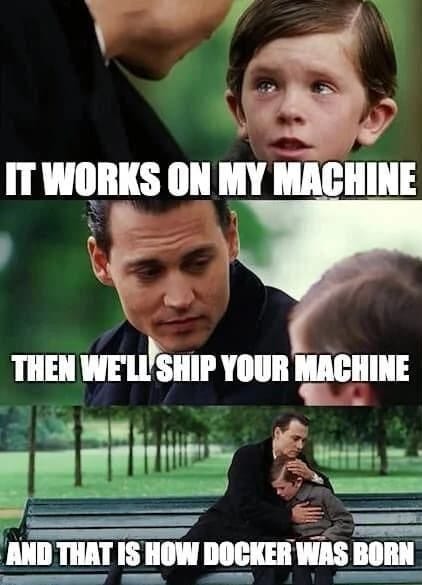
Docker is an open-source platform designed for developing, shipping, and running applications within containers. Docker was introduced in 2013 by Solomon Hykes, and it quickly gained popularity for its ability to simplify software deployment by using containerization. Containerization allows developers to package an application and all its dependencies into a standardized unit called a “Docker container**.**” This container can run consistently across different environments, from development laptops to production servers.
A Docker container is a lightweight, stand-alone executable package that includes everything needed to run a piece of software, such as code, runtime, system tools, libraries, and settings. Containers provide a consistent and isolated environment, making it easy to develop and deploy applications across different infrastructure.
Prior to Docker container, here’s how application were developed — a team of developers were working on an application, they’ll have to install the service on their operating system. Eg. developing a java application, and you need PostgreSQL, Redis….every developer will install the binaries of those services and configure them and run them on their local environment. Depending on which operating system (Windows, MacOs, Linux) they are using, the installation process differs. Not only has docker streamlined the process, but it has saved time and hassle involved with having to deal with different installation depending on the operating system, more consistent and ever efficient than ever before.

Key concepts:
Docker file: This is a text file that contains all the instructions and commands needed to build an image. This file adheres to specific format and set of instruction to build the required docker image.
Docker Image: This is a snapshot of the computer program and everything it needs to run embedded in it. A docker image is built automatically after executing the instructions from a dockerfile, a text file containing all commands needed to build a given image.
Docker Container: As said earlier, This is a lightweight, stand-alone executable package that includes everything needed to run a piece of software, such as code, runtime, system tools, libraries, and settings.
Docker Hub: This is popular public registry service provided by docker that serves as a central repository for docker images. It is one of the most popular and widely used container image registries in the docker ecosystem.
Docker Daemon: This is the process that runs the container. It runs in the background. It’s a process that manages the** docker images, containers, networks, and storage volumes**. The Docker daemon listens for Docker API requests and processes them.
Docker compose: Docker Compose is a tool for defining and running multi-container applications. It simplifies the management of complex applications composed of multiple services.
There are some benefits as to why Docker is preferred among other alternatives such as vagrant, Podman, etc.
1.Portability: Containers can easily run consistently on different environments, from developer laptops to production servers seamlessly.
2.Isolation: Containers provide process and resource isolation, improving security and resource management.
3.Scalability: Docker enables easy scaling of applications through container orchestration.
4.Rapid Deployment: Containers start quickly, allowing for fast application deployment and updates.
5.Version Control: Docker images are versioned, making it easy to roll back to previous application states.
For further studies, you can check the websites below;
That’s it for now. If this post was helpful, please do follow and leave a clap 👏 button below to show your support.
Thank you for reading.
Further Reading
Discover more articles on similar topics across our network


Comments
Loading comments…