KUDO is worth the price when you need professional human interpreters or sign language at a large event, but for AI-only live translation a self-serve tool such as Maestra Live covers the core job with public pricing from $15 a month and no sales call.
The two differ less in what the AI does and more in how each one is priced, bought and set up. This comparison covers those three points.
Is KUDO worth the price?
It depends on what you are buying it for. KUDO sells two things: AI speech translation in 70+ languages, and access to more than 12,000 human interpreters covering 200+ spoken and sign languages.
KUDO is likely worth it if:
- You need human interpreters, for example at a board meeting, a negotiation or a diplomatic event.
- You need sign language interpretation.
- You run a large annual program of multilingual meetings and want one vendor with technical support.
It is harder to justify if you only need AI translation for meetings, webinars or a few events a year. KUDO does not publish prices, so you need a sales conversation and a quote before you know the cost. Its annual plan starts from 50 hours per year, which is more than many small teams use.
Source: KUDO plans and features page
How did we compare them?
We compared the two on what buyers ask first: price, setup and what is included. Every fact comes from each vendor's own website and pricing page, checked in November 2026.
We did not run a side-by-side accuracy test, so this comparison makes no claim about which AI translates better. Test both with your own speakers and languages before you decide.
KUDO vs Maestra Live: how does the pricing model differ?
This is the biggest difference between the two. KUDO sells by quote. Maestra Live sells flat subscriptions with prices on its website.
KUDO pricing
KUDO's pricing page lists three options and no dollar figures:
- Marketplace: book human interpreters on demand for online meetings, with no annual subscription.
- Pay As You Go: a single one-off event with human interpreters, AI or both. The price is "Contact Sales".
- Annual Plan: an enterprise plan from 50 hours per year, with human interpreters, AI or both. The price is "Contact Sales".
KUDO says it offers a discount for annual billing and an AI free trial, but the page does not give the discount or the length of the trial.
Maestra Live pricing
For conference translation, Maestra Live lists every plan publicly. Paid plans include unlimited sessions, so nothing is billed by the hour:
- Free: 10 minutes a week in one language, for testing.
- Personal: $15 a month billed yearly, with sessions up to 15 minutes.
- Meetings: $39 per user a month billed yearly, for Zoom, Google Meet and Microsoft Teams, with sessions up to 75 minutes in 2 languages.
- Organizations: $359 a month billed yearly, with a room link and QR code, 3-hour sessions, 50 viewers and 3 languages per session.
- Events: from $799 a day, with 3 rooms, 100 viewers per room, 5 languages, setup help and day-of support.
The practical difference: with Maestra Live you can price a meeting or an event yourself in a few minutes. With KUDO you need a quote, which suits procurement-led enterprise buying better than a small team with an event next week.
Source: Maestra Live pricing page
How do KUDO and Maestra Live compare side by side?
- Published prices: Maestra Live: Yes, on the pricing page. KUDO: No, quote from sales.
- Price model: Maestra Live: Flat subscription with unlimited sessions, or a day rate for events. KUDO: Pay as you go per event, or an annual plan from 50 hours per year.
- Free option: Maestra Live: Free plan, 10 minutes a week. KUDO: AI free trial, length not stated.
- AI languages: Maestra Live: 100+. KUDO: 70+.
- Human interpreters: Maestra Live: No, AI only. KUDO: Yes, 12,000+ interpreters in 200+ spoken and sign languages.
- Latency: Maestra Live: Real time, no figure published. KUDO: Real time, no figure published.
- How listeners join: Maestra Live: QR code or link in any browser, no app or account. KUDO: QR code or web link, no download needed.
- Platforms: Maestra Live: In person (browser), Zoom, Microsoft Teams, Google Meet, OBS, vMix. KUDO: Own meeting platform, Microsoft Teams integration, widget for other event platforms, in person.
- How to start: Maestra Live: Sign up online and start a session. KUDO: Request a demo.
AI interpretation vs human interpreters: which do you need?
Both tools offer AI translation with captions and an AI voice. Only KUDO also offers human interpreters, and that is the main reason to choose it.
Human interpreters are the safer choice when a mistranslation has real consequences:
- Legal, medical or diplomatic meetings.
- Negotiations and board meetings.
- Events that need sign language.
- Languages that AI tools do not cover well.
AI translation fits the far larger group of everyday sessions: team meetings, webinars, training, town halls, conferences and community events. It needs no booking, it is available at any hour, and adding a language does not mean hiring another interpreter.
If your events are a mix of both, KUDO can supply the two from one account. If they are all in the second group, you are paying for a capability you will not use.
Limitation of Maestra Live: it is AI only. It does not offer human interpreters or sign language interpretation, so it is not the right tool for high-stakes sessions.
Source: KUDO website
How much setup does each need for a small team?
For a small team, the setup question is really two questions: how fast can you start, and who has to be involved.
Maestra Live
- Sign up online, with no demo or sales call required.
- Pick the spoken language and the target languages.
- Share the room link or QR code. Attendees open it in a browser and choose their language.
For an online meeting it works inside Zoom, Google Meet and Microsoft Teams. For an in-person event, the room's microphone or mixer feeds a laptop running the session.
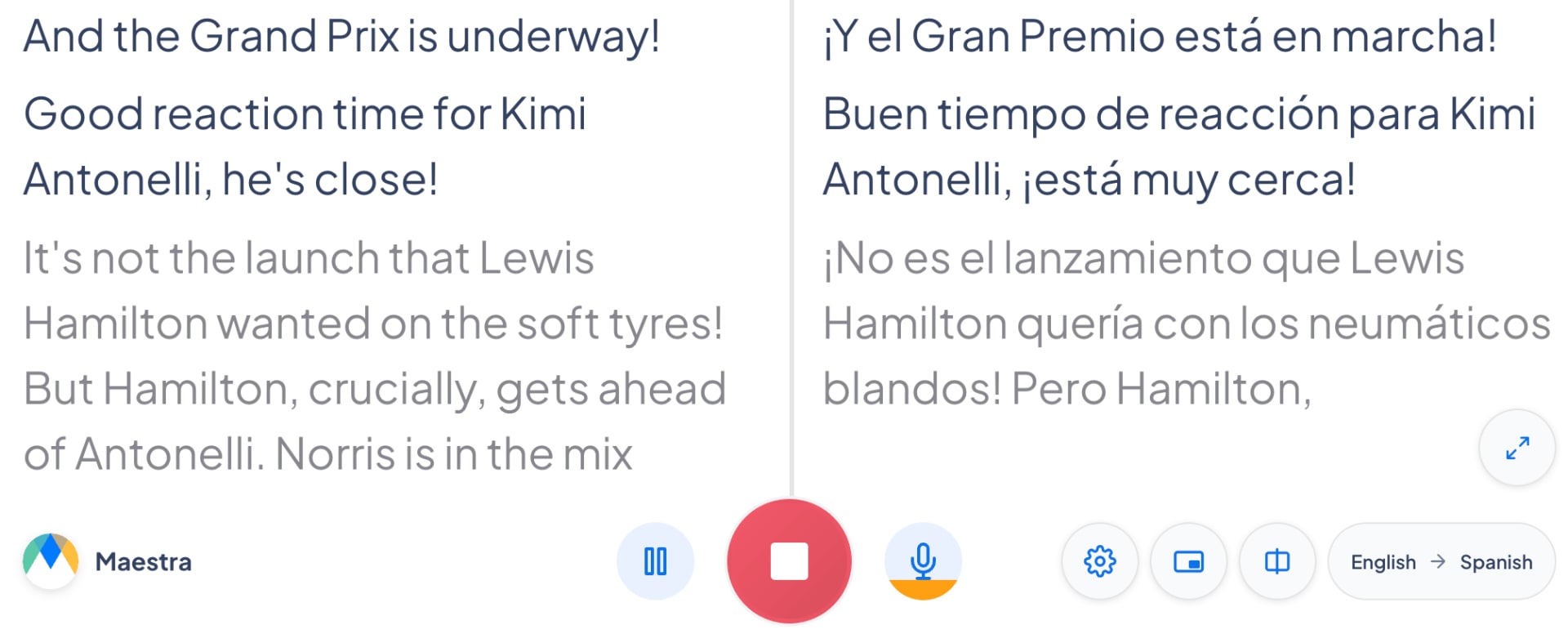
A Maestra Live session translating English speech into Spanish captions in real time.
KUDO
- Request a demo with a business email, then agree a plan with sales.
- For in-person events, KUDO asks for a laptop and a USB audio interface in each room and a stable internet connection.
- KUDO provides the QR codes and web links and says it takes care of the setup.
KUDO's route takes longer to start, but it comes with more hand-holding, which a team running a high-profile event may want. Maestra Live's route is faster and needs nobody outside your team, and the Events plan adds setup help and day-of support when you want it.
Source: KUDO in-person events page
Who should choose which?
- You need human interpreters or sign language: KUDO.
- You run a large enterprise program and buy through procurement: KUDO.
- You need certifications such as ISO 27001 and SOC 2 Type 2 listed by the vendor: KUDO lists both.
- You want to see the price and start today: Maestra Live.
- You hold meetings or events regularly and want a fixed monthly cost: Maestra Live.
- You are a small team that needs AI translation only: Maestra Live.
The two are not exact substitutes. KUDO is an interpretation platform that also offers AI. Maestra Live is an AI translation tool that you can buy and run on your own.
FAQ
Does KUDO publish its prices?
No. KUDO's pricing page describes a Marketplace for booking interpreters, a Pay As You Go option and an Annual Plan from 50 hours per year, but it shows no dollar figures. You get a price by contacting sales.
Is there a cheaper alternative to KUDO for live translation?
For AI-only translation, Maestra Live is a lower-commitment option: it has a free plan, paid plans from $15 a month billed yearly and unlimited sessions. Because KUDO does not publish prices, a direct price comparison needs a KUDO quote.
Does Maestra Live offer human interpreters?
No. Maestra Live is AI only. If you need human or sign language interpreters, KUDO is the better pick.
Do attendees need to download an app?
Not on either tool. With Maestra Live, attendees scan a QR code or open a link in any browser, with no app or account. KUDO also gives attendees a QR code or web link and says no download is needed.
Which one is faster to set up?
Maestra Live, for most small teams. You sign up online and start a session without a demo. KUDO starts with a demo request and a plan agreed with its sales team.
Further Reading
Discover more articles on similar topics across our network
White Label Email Marketing Agency Partners: Who Owns the Client Relationship?
Stackademic

Comments
Loading comments…