AI video stopped being a novelty the moment it could make something whole. For a long time the output was a fun party trick, a gorgeous three-second loop that ended before it meant anything. You couldn’t sell with it, teach with it, or tell a story with it. You could only show it off.
The shift happens when a tool gives you enough room to finish a thought. That is the real story with Seedance 2.5 and its 30-second clips. Half a minute is the difference between a test and a deliverable, enough space for an idea to open, develop, and land. And because the model lives inside Topview’s video tools, you’re building these ideas right where you’d already be working on product videos, avatar explainers, social clips, and ecommerce ads, instead of bouncing between apps.
Rather than walk through specs, let’s walk through work. Here’s what that extra room actually lets you make.
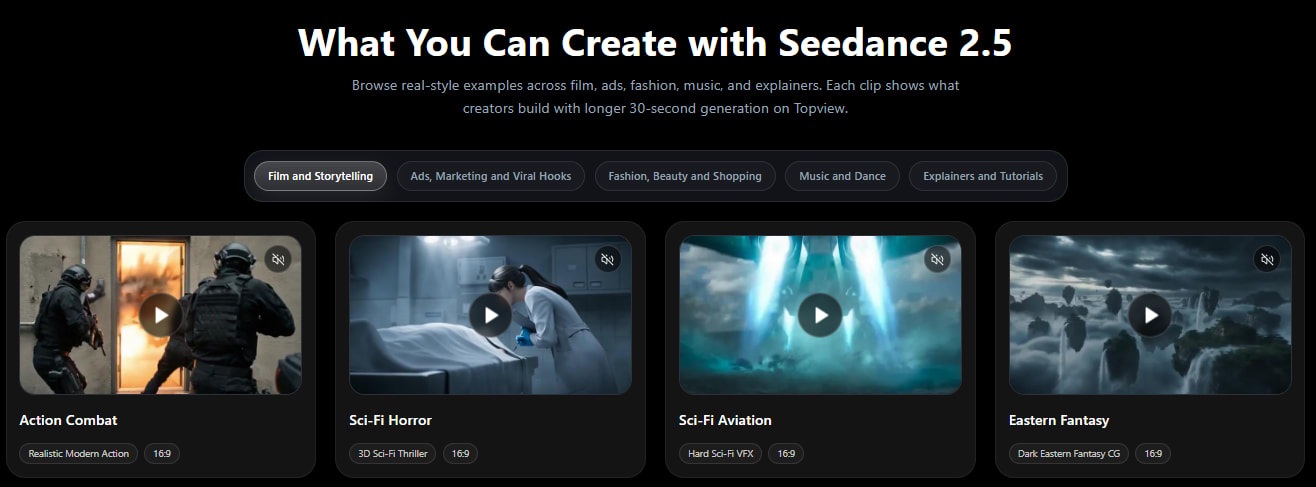
Ten Things Worth Making
Product Ads That Close, Not Just Tease
A good product ad does three jobs: grab attention, show the thing working, and give a reason to act. Squeeze that into a few seconds and you lose the reason to act every time. With a 30-second clip you can open on a striking shot of the product, move into someone actually using it, and finish on a clear call to action — a complete little pitch rather than a teaser that stops short.
UGC-Style Clips That Feel Like a Real Recommendation
The reason UGC works is that it feels like a friend telling you about something. That needs a beat or two: the hook, the honest “here’s why I like it,” and the nudge to try it. A presenter-style clip with enough length can carry that natural arc, so it reads like a genuine recommendation instead of a clipped soundbite that ends mid-sentence.
Fashion and Beauty, From First Glance to Final Look
Style content is about transformation, and transformation needs a before and after. Thirty seconds lets a look build, an opening glance, the detail shots that show texture and movement, and the finished reveal. A jewelry close-up, a fabric in motion, a routine that pays off at the end: all of it has somewhere to go instead of freezing on a single frame.
Ecommerce Videos That Answer the Buyer’s Questions
Shoppers hesitate because they have questions. A longer clip can walk through the answers in order, what it looks like up close, how big it is in the hand, how it behaves in real use — then resolve into a confident final shot. It plays less like an ad and more like a quick, reassuring product tour, which is exactly what nudges someone toward checkout.
Avatar Explainers That Finish the Lesson
An on-screen presenter is only useful if they get to finish a thought. Short clips cut them off; a 30-second window lets an avatar set up an idea, explain it, and wrap with a takeaway. For tutorials, onboarding, and multilingual explainers, that complete delivery, with steadier dialogue and a natural close, is what makes the video feel like teaching rather than a clipped announcement.
Short Tutorials That Show the Whole How-To
A how-to falls apart if it skips a step. With more room, you can lay out the sequence, here’s the start, here’s the key move, here’s the result, so the viewer actually learns something. The payoff at the end (the finished dish, the completed setup, the before-and-after) is the part that makes a tutorial worth saving, and now it fits.
Music Visuals That Ride the Track
Music content lives and dies on timing. A visual that runs long enough to follow a track, an intro that builds, a shift on the beat, a release at the drop, feels composed instead of random. Because the model can keep visuals and sound moving together, the cuts tend to land where the music wants them, which is the whole point of a music visual.
Storytelling Scenes With a Real Turn
Every small story needs a setup, a turn, and a payoff, and that simply cannot happen in a fragment. Thirty seconds gives a concept trailer or a short narrative scene the space for a beginning that establishes, a middle that shifts, and an ending that resolves, with the character and setting holding steady across the shots so the story doesn’t visually fall apart halfway through.
Social Hooks With Room to Deliver
The first three seconds win the scroll, but the next twenty keep it. A lot of social video nails the hook and then has nothing to follow it with. A complete short clip lets you open with the grab and then actually deliver on the promise, so viewers stay through the payoff instead of swiping the second the hook is spent.
Product Demos That Go Problem to Payoff
The most persuasive demo follows a simple shape: here’s the annoyance, here’s the product solving it, here’s life after. That arc needs continuity and a little time. A 30-second demo can carry the problem, the demonstration, and the outcome in one unbroken take, which is far more convincing than a clip that shows the product but never the result.
How to Steer the Result Toward What You Pictured
Across all of these, the difference between a lucky result and a reliable one comes down to what you give the model to work with. You’re not limited to typing a description and hoping. You can guide a clip with real examples, and each kind pulls a different lever.
A clear text prompt sets the scene and the action, who or what is in frame, what happens, and how it should feel. A product image locks in appearance, so your actual item shows up instead of a generic stand-in; the same trick keeps a character or a brand look consistent. A short video reference carries movement and camera motion: drop in a clip with the dolly-in or the pan you want, and the model follows that timing and path rather than inventing its own. And an audio reference shapes rhythm and mood, helping the cuts and beats fall where you intend.
Used together, and you can stack a lot of them, these references give you control over subject appearance, movement, timing, mood, and brand style at once. It’s the closest thing to handing a director a mood board, a product sample, and a reference reel before the shoot.
Add Lighting and Layout
Naming this on its own because it changes the feel: the more your references agree with each other, consistent lighting in your images, a steady camera in your clip, a clear mood in your audio, the cleaner the output. Conflicting references pull the model in different directions. A tight, coherent set of examples is the quiet secret behind the polished clips you see in showcases.
A Practical Reason to Try It Now
All of these use cases sit in one place, which is part of the appeal, Seedance 2.5 is available across Topview’s tools, so you can move from a product ad to an avatar explainer to a social hook without changing your setup.
Timing helps too. New users currently get 30 days of Unlimited Seedance 2.5 Generation, which matters more for use-case work than it might sound. When you’re figuring out which formats fit your brand, you want to try the ad, the demo, and the explainer without rationing attempts. A month of unlimited runs turns that exploration into something you can actually finish. With an 80% off promotion on top, the cost of testing every idea on this list is about as low as it gets.
Turning an Idea Into a File
The path from concept to clip is short. Inside Topview you pick Seedance 2.5, describe the video you want, and add whatever references fit, a product photo, a motion clip, an audio cue. You choose your length and shape, generate, and review. If a detail drifts, you adjust and run it again, then download a clean file when it lands.
A small mindset shift helps more than any trick: plan the clip like a shot, not a slot pull. Decide the beginning, middle, and end before you generate, gather references that match, and you’ll spend far less time regenerating and far more time shipping.
Pick One and Build It
The feature that ties this whole list together isn’t a spec, it’s completeness. A 30-second clip can carry a real arc, and that’s what turns AI video from a curiosity into a content engine for ads, demos, lessons, and stories alike.
That same idea of completeness matters across Topview too, especially as Seedance 2.5 support is also expected for Topview Canvas and Topview Drama Studio, giving creators more room to use the model beyond a single video workflow.
So don’t try to make all ten. Choose the one use case closest to what you actually need this week, the product ad, the explainer, the hook, and build it end to end. A finished piece will teach you more about the tool than any list of possibilities, and with a free month to experiment, there’s little reason to wait.
Further Reading
Discover more articles on similar topics across our network
The AI Skill That Actually Pays in 2026 (and It Has Nothing to Do With Coding)
Most people use AI now. Far fewer get real value from it. The gap is rarely the model; it's how you instruct it. Why prompt engineering is the high-value skill of the AI economy, and how to get good fast.
Comments
Loading comments…