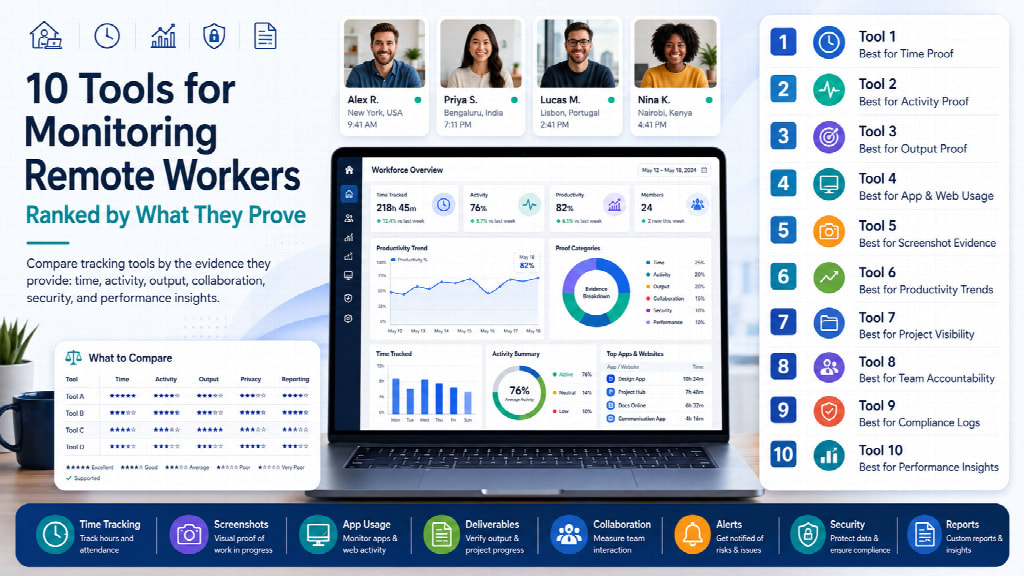
Remote monitoring tools get ranked on feature counts, which explains why so many buying decisions go wrong. A tool with forty features that cannot produce defensible billing evidence is worse than a tool with eight that can.
This ranking uses five criteria applied consistently: what the tool actually captures, whether monitoring is session-based or continuous, how it handles consent, what it costs at real configuration, and how long it keeps data. Scores come from published specifications, vendor documentation, and reported user experience rather than a lab test — no one runs ten remote worker monitoring software platforms across a live team simultaneously, and rankings that claim otherwise are describing a demo, not a deployment.
How these tools were ranked
| Criterion | Weight | What earns a high score |
|---|---|---|
| Evidence quality | 25% | Produces records that survive a client or payroll dispute |
| Consent posture | 25% | Visible by default, session-based, employee self-view |
| Configuration control | 20% | Layers can be disabled individually; defaults are conservative |
| Real cost | 15% | Published pricing, no seat minimums, add-ons disclosed |
| Retention | 15% | Data available long enough to investigate late-surfacing issues |
Deliberately excluded: feature count, AI branding, and G2 star ratings. The first rewards bloat, the second is unverifiable from outside, and the third mostly measures marketing spend.
Quick comparison
| Rank | Tool | From /user/mo | Capture model | Keystroke content | Retention (entry) |
|---|---|---|---|---|---|
| 1 | Monitask | $6.49 | Session-based | No | 1 month |
| 2 | ActivTrak | $10 | Continuous | No | Tier-dependent |
| 3 | Hubstaff | $4.99 | Session-based | No | Tier-dependent |
| 4 | Time Doctor | $6.70 | Session-based | No | Tier-dependent |
| 5 | Prodoscore | $19.99 | Agentless | No | Cloud-signal based |
| 6 | DeskTime | $6.42 | Session-based | No | Tier-dependent |
| 7 | WebWork | $3.99 | Session-based | No | Tier-dependent |
| 8 | Intelogos | $8 | Continuous | No | Tier-dependent |
| 9 | Controlio | $6.67 | Continuous | Yes | Tier-dependent |
| 10 | Veriato | Contact sales | Continuous | Yes | Configurable |
1. Monitask
Best for: agencies and teams that need billing evidence without a surveillance posture.
Monitask ranks first on the two heaviest criteria rather than on breadth. Capture runs only between clock-in and clock-out, so nothing is recorded on an employee's own time — the cleanest consent position available in an agent-based tool. Keystroke content is never recorded; activity levels derive from whether keyboard or mouse input occurred within each ten-minute window, and passwords and documents do not reach the servers.
Evidence quality is solid: screenshots, activity levels, application and website logs, and exportable timesheets cover what a disputed invoice requires.
Pricing: $6.49 Pro, $8.99 Business, $12.99 Business Premium, $15.99 Enterprise per user monthly on annual billing, 18% below monthly. Screenshots: 30 per hour included, then $2.40, $4.80, or $7.20 per licence for 60, 90, or 120. Ten-day trial, no card.
Configuration control: strong. Location tracking sits on Business Premium rather than running by default, and screenshot frequency is a deliberate purchase rather than a hidden setting.
Where it loses points: retention is one month on Pro and two on Business — the weakest element of the offering, and the reason to size the plan against your dispute window rather than your headcount. Project management is lighter than dedicated tools.
Platforms: Windows, macOS, Linux, Android, iOS, Chromebook. GDPR compliant with an EU representative, 256-bit AES.
2. ActivTrak
Best for: understanding team capacity without collecting content.
Ranks high on consent posture for a structural reason: it excludes non-business activity from reporting by default rather than collecting everything and expecting admins to dial back. No keystroke logging, no camera access, no video recording. Role-based access controls who sees what, and employees can view their own productivity data.
From $10 per user monthly on annual billing, with a free plan and 14-day trial.
Where it loses points: capture is continuous rather than session-based, screenshots are an add-on, and historical reporting is reported as awkward to navigate. No DLP or enforcement — security requirements need a separate tool.
3. Hubstaff
Best for: field teams where location genuinely matters.
Deepest application and URL logging in this group, with sessions, duration, and project attribution captured automatically. GPS and geofencing are the strongest here, and payroll automation handles multi-currency payouts.
From $4.99 per user monthly with a two-seat minimum.
Where it loses points: real cost diverges sharply from the entry price once Insights, Screenshots, Tasks, and Locations are added — reported at roughly $15 per person extra. A Silent add-on hides the agent, which undercuts the consent posture in disclosure-mandated jurisdictions. Sync issues between devices appear in user reports.
4. Time Doctor
Best for: BPO and outsourced operations billing verified hours.
Mature attendance and payroll automation, with randomised and blurrable screenshots — a meaningful middle position between interval capture and none. Strong integration coverage.
From $6.70 per user monthly.
Where it loses points: AI insights and advanced reporting sit behind premium tiers or paid add-ons, so the useful configuration costs more than the entry price suggests.
5. Prodoscore
Best for: teams where installing an agent is not an option.
The only agentless tool here, and that single architectural fact makes it the right answer in specific situations: contractors on personal hardware, jurisdictions where endpoint agents raise consent problems, or organisations that cannot mandate installations. It reads activity signals from Google Workspace, Microsoft 365, Salesforce, Slack, and Zoom, producing a daily score per person. No screen monitoring at all.
From $19.99 per user monthly.
Where it loses points: highest price in this list, and it only sees activity inside connected cloud tools — work in local applications is invisible. Evidence quality for billing disputes is weak, since a productivity score is not proof of work. Pricing is not fully public.
6. DeskTime
Best for: automatic project attribution.
Categorises applications as productive, unproductive, or neutral without manual review, and time attaches to projects when the employee selects one. The private time option is the standout: employees pause tracking manually for personal browsing, which resolves the personal-use problem more elegantly than most competitors.
From $6.42 per user monthly on annual billing.
Where it loses points: limited offline capture, and a small native integration set that pushes teams toward Zapier.
7. WebWork Time Tracker
Best for: budget-conscious teams that still want analytics.
Cheapest credible option at $3.99 per user monthly. Measures clicks, scroll, and keyboard frequency, automatically categorises applications, and flags unusual activity patterns. Burnout-risk flagging is unusual at this price.
Where it loses points: smaller vendor with a thinner enterprise track record, and reporting customisation is limited.
8. Intelogos
Best for: teams that want AI-generated coaching prompts.
Categorises applications as primary, secondary, or distracting and shows how each affects productivity scores. The AI layer answers natural-language questions about team performance and flags workload imbalance.
From $8 per user monthly on annual billing.
Where it loses points: limited integrations, limited customisation, and weaker mobile coverage. AI-generated conclusions about individuals are harder for employees to contest than raw logs — a consent consideration that does not appear on any feature list.
9. Controlio
Best for: compliance investigations requiring a full audit trail.
Real-time activity feed, live screen view, video recording, and detailed audit logs of policy violations. On-premises deployment is available for organisations that cannot use cloud storage. Unusually cheap for this capability set at $6.67 per user monthly.
Where it loses points heavily: keystroke logging and a stealth mode that hides the agent from Task Manager are core features, not options. Both raise the compliance bar significantly in several jurisdictions, and both carry attrition risk — roughly 46% of tech workers report they would quit over keystroke logging or screenshot capture. PC-only, no native integrations.
10. Veriato
Best for: regulated industries needing investigation-grade evidence.
Keyword-triggered screenshots capture evidence when a flagged term appears, avoiding continuous recording while preserving the audit trail. File tracking spans local, removable, and cloud storage. SIEM and DLP integration means it fits a security stack rather than sitting alone.
Pricing on request.
Where it loses points: no public pricing, lengthy setup, email and chat content monitoring, and keystroke capture. Appropriate for an insider-risk program with a dedicated review function; substantial overkill and legal exposure for productivity monitoring.
What the ranking reveals about the category
Session-based beats continuous for productivity use cases. Tools that stop at clock-out avoid collecting off-hours activity entirely — the category most likely to create legal problems, particularly where employees use company devices personally.
Keystroke logging is declining, and the market has noticed. Vendors are removing it, and analysts now note explicitly that high keystroke counts do not correlate with productivity. Eight of these ten tools do not capture keystroke content at all.
Entry price predicts nothing. Hubstaff's $4.99 becomes roughly $20 at working configuration; Monitask's $6.49 stays $6.49 unless you deliberately buy screenshot frequency. Compare at the configuration you will run.
Retention is the blind spot. Almost no comparison mentions it, and it is the thing that decides whether a March incident can be investigated in June.
Which one to choose
Billing clients or contractors hourly? Monitask, Hubstaff, or Time Doctor. Compare on retention and add-on cost, not features.
Diagnosing capacity rather than verifying hours? ActivTrak. Leave screenshots off.
Cannot install an agent? Prodoscore, with the understanding that it will not produce billing evidence.
Field or mobile teams? Hubstaff.
Regulated industry with a security function? Veriato, budgeted properly.
Smallest viable budget? WebWork at $3.99, accepting the vendor-maturity tradeoff.
Frequently asked questions
What is the best software for monitoring remote workers?
It depends on what the data must prove. For billing evidence, session-based proof-of-work tools like Monitask, Hubstaff, and Time Doctor rank highest. For capacity insight without content capture, ActivTrak. For teams where no agent can be installed, Prodoscore is the only agentless option.
Do remote monitoring tools record keystrokes?
Most no longer do. Eight of the ten tools here capture no keystroke content, measuring input frequency instead. Controlio and Veriato record typed content at upper tiers, which suits insider-risk programs and creates compliance obligations for productivity monitoring.
How much does remote monitoring software cost?
Entry tiers run $4–20 per user monthly, but real cost depends on configuration. Add-ons for screenshots, insights, and location can add $15 per person on some platforms, and seat minimums exclude small teams from certain entry tiers entirely.
Can employees tell they are being monitored?
Depends on the tool and configuration. Visible-mode agents show a tray icon; stealth modes hide the process from Task Manager entirely. Several jurisdictions require written notice regardless of what the software displays, so the policy matters more than the interface.
What is session-based monitoring?
Capture that runs only between clock-in and clock-out rather than whenever the device is powered. It avoids collecting off-hours activity, which is the category most likely to create legal problems and the most common source of employee objection.
How long do these tools keep data?
Entry tiers commonly retain one to two months, with longer windows on higher plans. Check before buying: retention determines whether a dispute or incident surfacing months later can still be investigated, and it is rarely mentioned in comparisons.
Are screenshots necessary for remote monitoring?
Only where visual proof of work is contractually required — typically agency and contractor billing. For capacity planning and workload analysis they add legal exposure without adding insight, and demand for continuous screenshot capture is declining across the category.
Which tools work on Mac and Linux?
Coverage varies more than vendors advertise. Monitask supports Windows, macOS, Linux, Android, iOS, and Chromebook. Controlio is PC-only, and several security-focused platforms have limited macOS parity. Verify against your actual hardware mix before shortlisting.
Further Reading
Discover more articles on similar topics across our network
Custom Software Solutions for Businesses With Unique Workflows
Stackademic
Comments
Loading comments…