I recently needed a browser-ready version of a native library for one of my projects, and I ended up discovering a surprisingly smooth workflow using GitHub Codespaces.
The target was the FreeSASA WebAssembly example:
GitHub - freesasa/freesasa-wasm: Run FreeSASA in the browser
What I expected:
- clone a repo locally
- install toolchains manually
- fight with build scripts
- spend an afternoon configuring WebAssembly tooling
What actually happened!
- open GitHub
- click a button
- get a cloud VS Code environment
- install Emscripten
- build the WASM version
- grab the generated
.wasm,.mjs, and supporting files for my own app
Pretty, pretty neat.
Wait… GitHub Has Visual Studio Code built into it?
On the repository page there’s a green Code button. Inside that menu is the option to launch a Codespace:
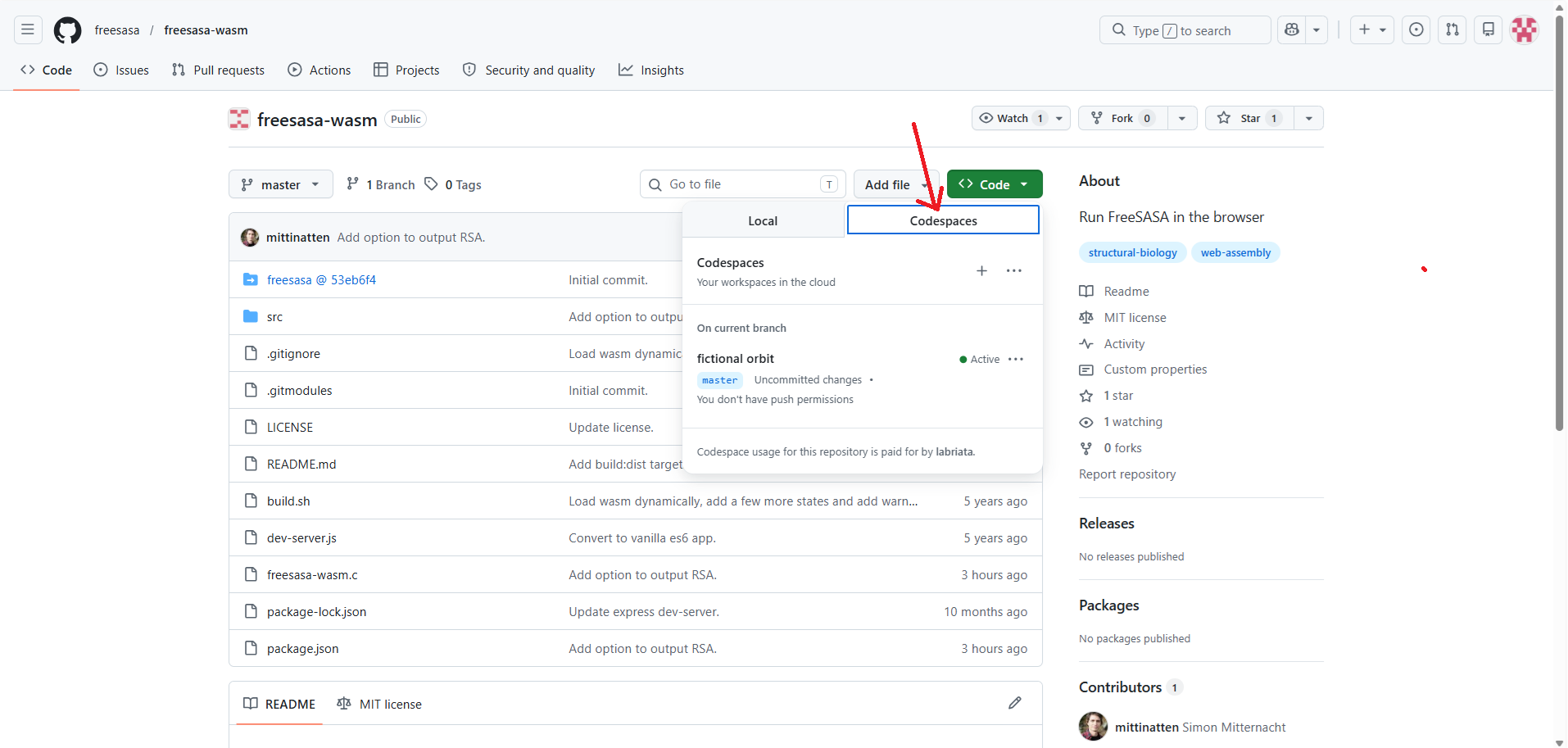
Screenshot by the author, on GitHub at https://github.com/freesasa/freesasa-wasm
Clicking that basically spins up a browser-based Visual Studio Code instance connected to the repository. No local setup required.
A few seconds later I had terminal access, a file explorer, extensions that I could further extend, shell access, and a full dev environment running in the browser.
It is just like VS Code but running remotely, in your browser, with nothing to download or install, just as I like my apps!
My example project
The repository itself is a WebAssembly experiment for FreeSASA, a library for calculation of solvent-accessible surface areas in molecules — commonly used in structural biology.
The README instructions were straightforward:
git submodule update --init
npm install
npm run build:wasm
npm start
The project notes explained that it needed:
- Node.js
- A browser with WebAssembly support
- Emscripten
The only missing piece in the Codespace environment was Emscripten itself.
Installing Emscripten inside Codespaces
So right there in the browser terminal, I installed the Emscripten SDK (emsdk).
The setup was basically:
git clone https://github.com/emscripten-core/emsdk.git
cd emsdk
./emsdk install latest
./emsdk activate latest
source ./emsdk_env.sh
After that, the emcc compiler became available and the WASM build scripts could run correctly.
That was the interesting part to me: I was effectively setting up a full native-to-WebAssembly toolchain entirely inside a temporary cloud development environment.
No local compiler headaches. No PATH nightmares. No “works on Linux only” problems!
Building the WASM wersion
Back in the project directory, I ran the commands from the README:
git submodule update --init
npm install
npm run build:wasm
npm start
Then the project launched a local web server inside the Codespace.
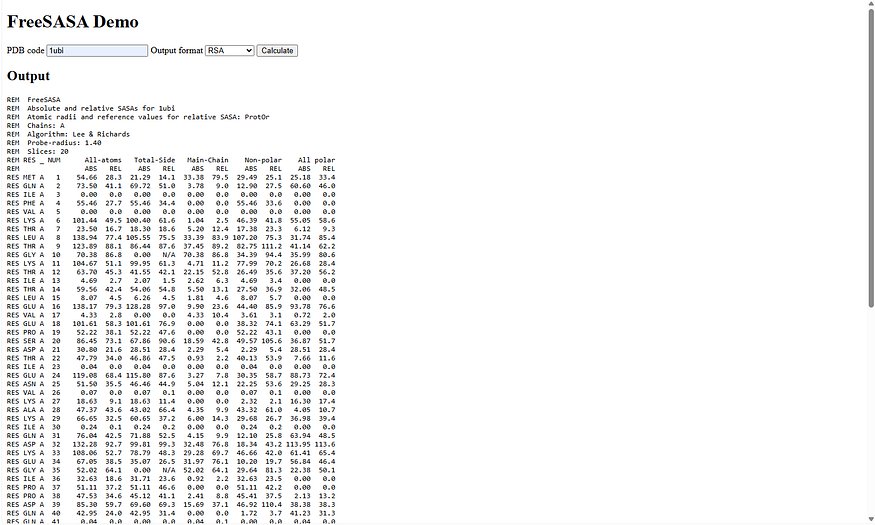
Codespaces automatically forwarded the port, so I could open the running app directly in the browser and test the WebAssembly build immediately.
That’s the part that felt slightly magical:
- compile native code to WASM
- launch browser app
- test instantly
- all without leaving the tab
Here’s the web app running:
Extracting the files for my own project
Once the build completed, the important files I needed were sitting in the generated output folders. In my case, this was a .wasm and a .mjs files, that I downloaded directly based on the contents of the index.html and index.js files as seen with Ctrl+U in my browser (Brave). Those are the actual pieces you usually need when integrating a WASM module into another web application, possibly together with the core index.html and index.js files which in this specific case I didn’t need.
So in summary, instead of reinventing the whole compilation pipeline myself, I could:
- Use the existing example repo
- Build it in Codespaces
- Copy the generated outputs into my own project
Done.
Why This Workflow Is So Useful
What I liked most about this approach is that GitHub Codespaces turns “experimental build environments” into disposable sandboxes.
For WebAssembly projects specifically, that’s incredibly convenient because native toolchains can get messy fast.
Instead of polluting your machine with SDKs, compilers, shell configs, dependency conflicts, …. you just open a Codespace, build the project, take whatever you need from it, close the environment, and goodbye!
Just as if you were renting a temporary build machine for 20 minutes to a couple hours, with everything ready to run.
For anyone exploring WebAssembly projects on GitHub, this is a seriously underrated workflow.
And now, eager to explore and learn more! So, until next time, not without before thanking Simon Mitternacht for the amazing wasm library!
Some more details for the curious newbies…
WebAssembly? WASM?
WebAssembly (usually shortened to WASM) is a compact binary format designed to let high-performance code run safely inside the browser. In practice, it allows programs originally written in languages like C, C++, or Rust to be compiled into a format that web browsers can execute at near-native speed. Instead of rewriting an entire native library in JavaScript, developers can compile the existing codebase into a .wasm module and load it from the browser together with a small JavaScript wrapper, often an .mjs file. This is what tools like Emscripten do: they take traditional native code and transform it into something that modern browsers understand and can execute securely in a sandboxed environment.
Today, WebAssembly is used for everything from games and 3D rendering to scientific computing, video editing, CAD tools, emulators, and AI applications directly in the browser. Being such an adept of client-side web-based solutions, I will next show more and more about this world here and in other venues.
VSC on Codespace?
What we spin when we click the Codespace button is essentially a real version of VS Code running remotely, not just a lookalike. GitHub Codespaces is built on top of the same core technology as Visual Studio Code and uses the browser-based variant sometimes called “VS Code for the Web” (vscode.dev) combined with a remote development container running on GitHub’s servers.
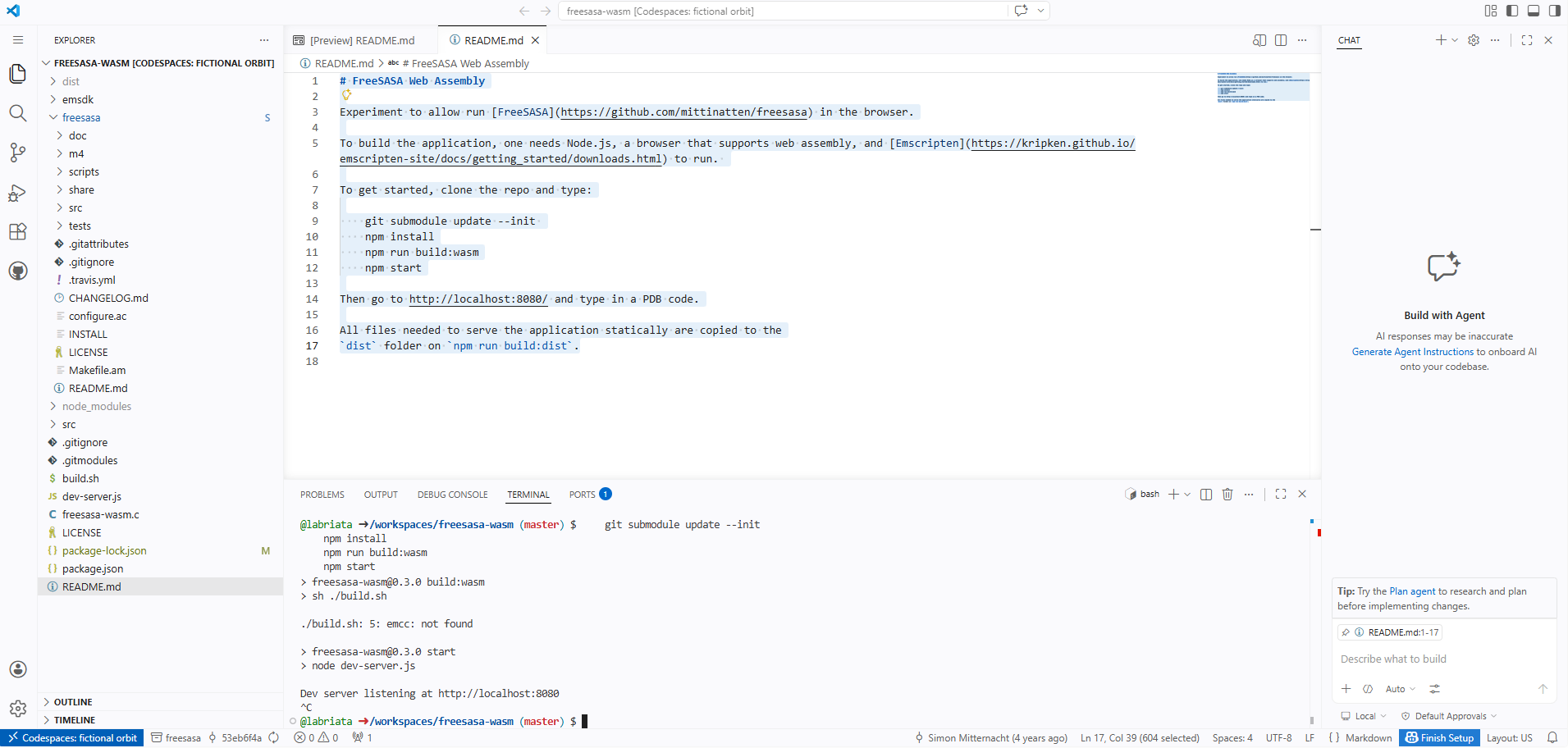
Screenshot of the online VSC applet spin from GitHub itself.
So when you open a Codespace, you’re basically getting:
- a Linux VM/container in the cloud
- a full filesystem
- terminal access
- extensions support
- Git integration
- Node/npm/etc.
- the actual VS Code interface in the browser
The editor UI is genuinely VS Code, not a clone. The only important distinction is that the interface runs in your browser and the code execution and environment run remotely on GitHub infrastructure (except in my case as this was all client-side so it ends up running in my browser, of course, with GitHub only hosting the temporary build).
That’s why things like compiling C/C++, running npm,installing Emscripten and any other service, launching local servers, etc. all work normally without using your own machine’s resources much.
Further Reading
Discover more articles on similar topics across our network
How Developers Can Automate Small Business Website Creation and Maintenance
Stackademic
Comments
Loading comments…